YouYoung Seo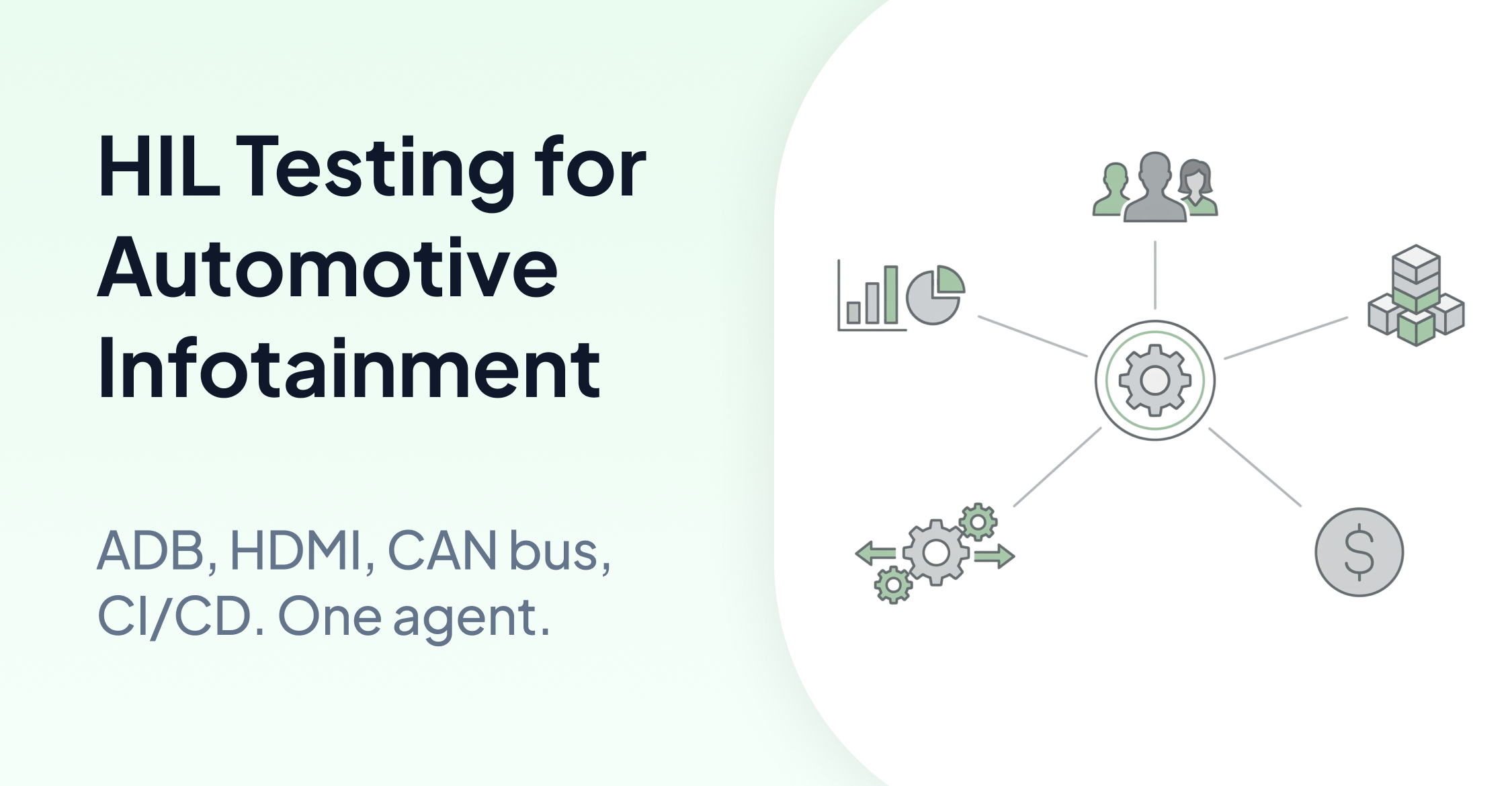
TLDR
Automotive infotainment HIL testing involves coordinating across a head unit display, CAN bus signals, audio I/O, instrument clusters, relay cards, and connected devices like CarPlay and Android Auto. AskUI provides the execution layer that ties these together. The agent connects to the head unit via ADB or HDMI, observes the display, and interacts with it using natural language test cases. Custom tools handle the hardware layer: sending CAN frames, toggling relays, capturing cluster screenshots, and controlling the power supply. Test cases are defined in CSV or Markdown. Everything runs inside your infrastructure with no data leaving the network.
The Problem with Automotive Infotainment HIL Testing
Infotainment head units run on Android or Linux. They have no DOM, no accessibility hooks, and no stable selectors. Traditional test automation cannot interact with them. Image template matching breaks across software builds as rendering changes. Manual testing is too slow for continuous integration.
The test environment adds more complexity. A complete HIL bench includes a vehicle bus simulator sending CAN, LIN, or FlexRay signals; a relay card switching power states; audio I/O for voice assistant testing; an instrument cluster running on a separate ECU; and connected devices like iPhone CarPlay or Android Auto. None of these fit into a standard test automation framework.
What teams need is a single execution layer that connects the head unit UI, the hardware bench, and the CI/CD pipeline into one continuous test workflow.
HIL Test Architecture for Automotive Infotainment: How AskUI Works
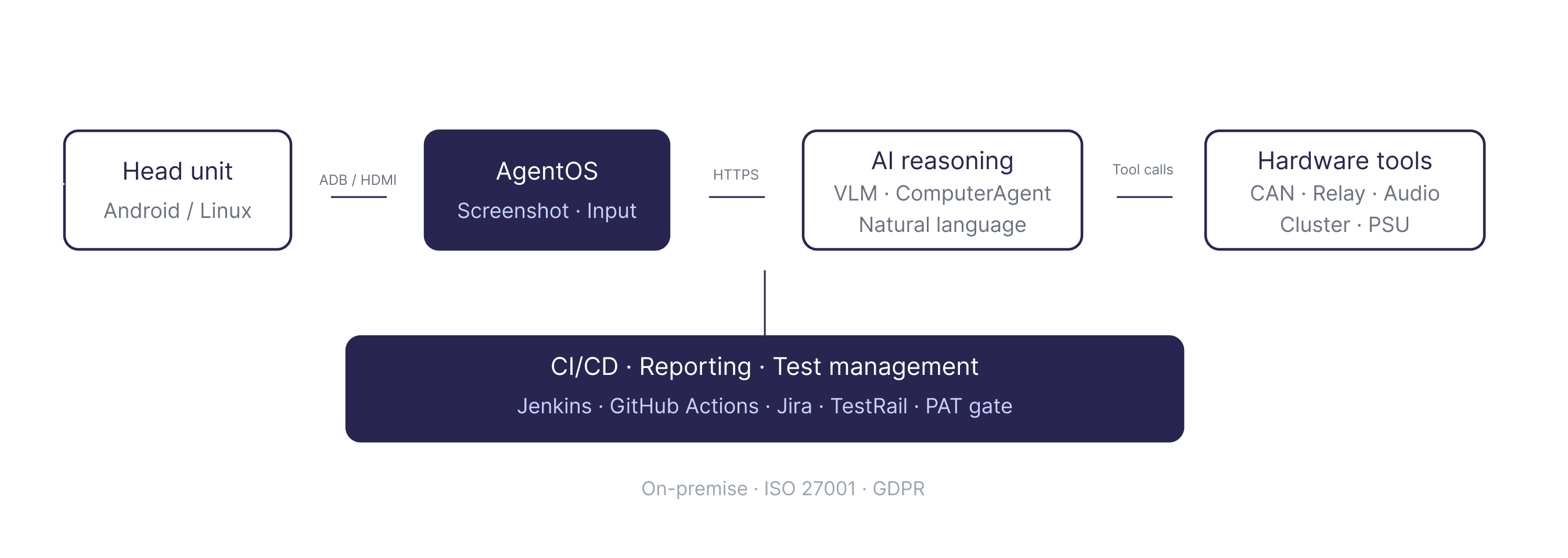
The AskUI HIL test architecture separates into three layers.
The head unit (DUT) is the Android or Linux-based infotainment system under test. AskUI connects to it via ADB in host mode or via HDMI with a capture card in companion mode. Agent OS runs as a lightweight local runtime on the host, handling screenshot capture and input injection over gRPC.
The AI reasoning layer receives a fresh screenshot at every step. A Vision-Language Model analyzes the display state and decides the next action. AskUI supports its own models and Claude Sonnet. The Python SDK exposes the full action set: act(), get(), locate(), type(), click(), keyboard(), wait().
The hardware integration layer connects the bench equipment to the agent via custom tools. Each piece of hardware gets its own Tool class. The agent calls these tools as part of the test flow, coordinating UI interaction with hardware state changes in a single agentic loop.
Connecting to the Head Unit
AskUI connects to the infotainment head unit in two modes depending on the setup.
Host mode via ADB works when the head unit exposes an ADB interface. Agent OS installs as an ADB-connected service. Screenshot capture and input injection go through the ADB channel. This is the standard path for Android-based head units in development builds.
Companion mode via HDMI works on locked-down production builds where ADB is not available. An HDMI capture card brings the head unit display into the host machine. Agent OS captures frames from the capture card and injects input via a separate channel. This covers production hardware where instrumentation hooks do not exist.
Both modes use the same Python SDK interface. Test logic does not change between them.
The Hardware Integration Layer: Connecting Bench Equipment to the Agent
Each piece of bench hardware is wrapped in a custom Tool class. The agent calls these tools based on test intent. Here is what the standard HIL bench includes.
CAN Bus Tool wraps the vehicle bus simulator (CANoe, dSPACE, or similar). The tool sends and receives CAN, LIN, or FlexRay frames. When a test case requires triggering a signal, for example sending a temperature setpoint over CAN and verifying the cluster display updates, the agent calls the CAN Bus Tool, then observes the head unit display for the expected state change.
Relay Control Tool connects to an 8-channel USB serial relay card. The tool toggles relays on and off to simulate power states, KL15 (ignition), or peripheral connections. Power cycling the head unit, simulating accessory mode, or triggering hardware resets all go through this tool.
Audio Analyzer Tool captures microphone input and runs FFT frequency analysis. It pairs with a speaker playing TTS output into the head unit microphone. Voice assistant testing, including triggering a voice command and verifying the response, uses this tool alongside the display interaction.
Cluster Screenshot Tool captures the instrument cluster display via SSH and FTP. The cluster runs on a separate ECU. When a test case requires verifying that a CAN signal produced the correct output on the cluster, the agent calls this tool to capture the cluster state and verify it against the expected result.
Power Supply Tool controls a programmable 12V/24V PSU via SCPI or serial. Voltage control and power cycling for hardware stability testing go through this tool.
Voice Assistant Tool uses gTTS to play synthesized speech into the head unit microphone, triggering voice commands as part of the test flow.
Additional hardware connects via custom Tool classes or MCP servers using the same pattern.
Test Cases and Orchestration
Test cases are defined in CSV, Markdown, or PDF. Each row describes a test intent in natural language: the action to perform, the expected result, and any relevant parameters.
Test case ID, Test case name, Step description, Expected result
TC-001, HVAC 22°C, Set HVAC to 22°C via the climate control screen, Climate display shows 22°C
TC-002, CarPlay connect, Connect iPhone via CarPlay and verify home screen loads, CarPlay home screen visible within 5 seconds
TC-003, KL15 cycle, Power cycle via relay and verify head unit restarts cleanly, Head unit home screen loads after restart
The main.py orchestrator reads the CSV, passes the registered tools to the agent, and runs each test case. Engineers write Tool classes once and define test cases in the CSV. The agent handles execution sequencing: it reads the test intent, decides which tools to call, observes the display after each action, and writes results to the report. No agent.act() calls are written manually. main.py is never touched directly.
CI/CD Integration and Test Reporting
The full pipeline integrates with Jenkins, GitLab CI, and GitHub Actions. Test runs produce HTML reports with screenshots at every step and pass/fail status per test case. Results feed into test management tools including Jira, TestRail, and qTest. Dashboards track pass/fail trends, flakiness rates, and build health over time.
AskUI supports a Production Acceptance Testing gate. PAT sanity runs execute against production hardware before a build is signed off for release.
For data sovereignty requirements, an on-premise LLM proxy keeps all inference inside the customer network. ISO 27001 and GDPR compliance are maintained throughout.
Why This Matters for Infotainment QA
Traditional test tools cannot reach the infotainment head unit. Selector-based scripting requires a DOM. Image template matching requires stable rendering across builds. Neither handles the hardware layer.
AskUI covers both gaps. The agent connects to the head unit display without requiring selectors or templates, adapts when the UI changes across software builds, and coordinates with the full bench hardware through custom tools. Test cases stay in natural language. The infrastructure stays on-premise.
For infotainment teams running HIL testing manually or maintaining fragile scripts, this is the shift that makes continuous regression testing across hardware variants operationally viable.
To learn more about how AskUI orchestrates a full test run from agent reasoning to execution and reporting, see How AskUI Orchestrates a Test Run.
FAQ
What head unit connection modes does AskUI support?
AskUI connects via ADB in host mode for development builds with ADB access, and via HDMI capture card in companion mode for locked-down production builds. Both modes use the same Python SDK interface. Test logic does not change between them.
Does AskUI send CAN signals directly?
No. CAN signals are sent by external tools such as CANoe or dSPACE. AskUI verifies the UI state after the signal has been sent. The CAN Bus Tool wraps the external simulation system and is called by the agent as part of the test flow.
How are hardware tools registered with the agent?
Each piece of hardware gets a Tool class written in Python and registered in helpers/get_tools.py. The agent receives the registered tools at startup and calls them based on test intent. Engineers write the tool once. The test cases in the CSV drive everything else.
Can AskUI test locked-down production builds?
Yes. Companion mode via HDMI capture card works on production hardware where ADB is not available and instrumentation hooks do not exist. The agent observes the display through the capture card and injects input via a separate channel.
How does AskUI handle UI changes across software builds?
The agent observes the screen at every step and reasons about the current display state. It does not rely on selectors or image templates that break when the UI changes. When a cached test trajectory is replayed and the UI has changed, the agent verifies the result and makes corrections.
Does the full setup run on-premise?
Yes. Agent OS runs locally on the host machine. An on-premise LLM proxy keeps all AI inference inside the customer network. No data leaves the infrastructure. ISO 27001 and GDPR compliance are maintained throughout.
What CI/CD systems does AskUI integrate with?
Jenkins, GitLab CI, and GitHub Actions. Test results feed into Jira, TestRail, and qTest. HTML reports with screenshots are generated for every test run.
Can AskUI test Android Auto and CarPlay connections?
Yes. Connected devices including iPhone CarPlay and Android Auto are part of the HIL bench. Test cases can include connecting a device, verifying the CarPlay or Android Auto interface loads, and interacting with connected device UI flows.