

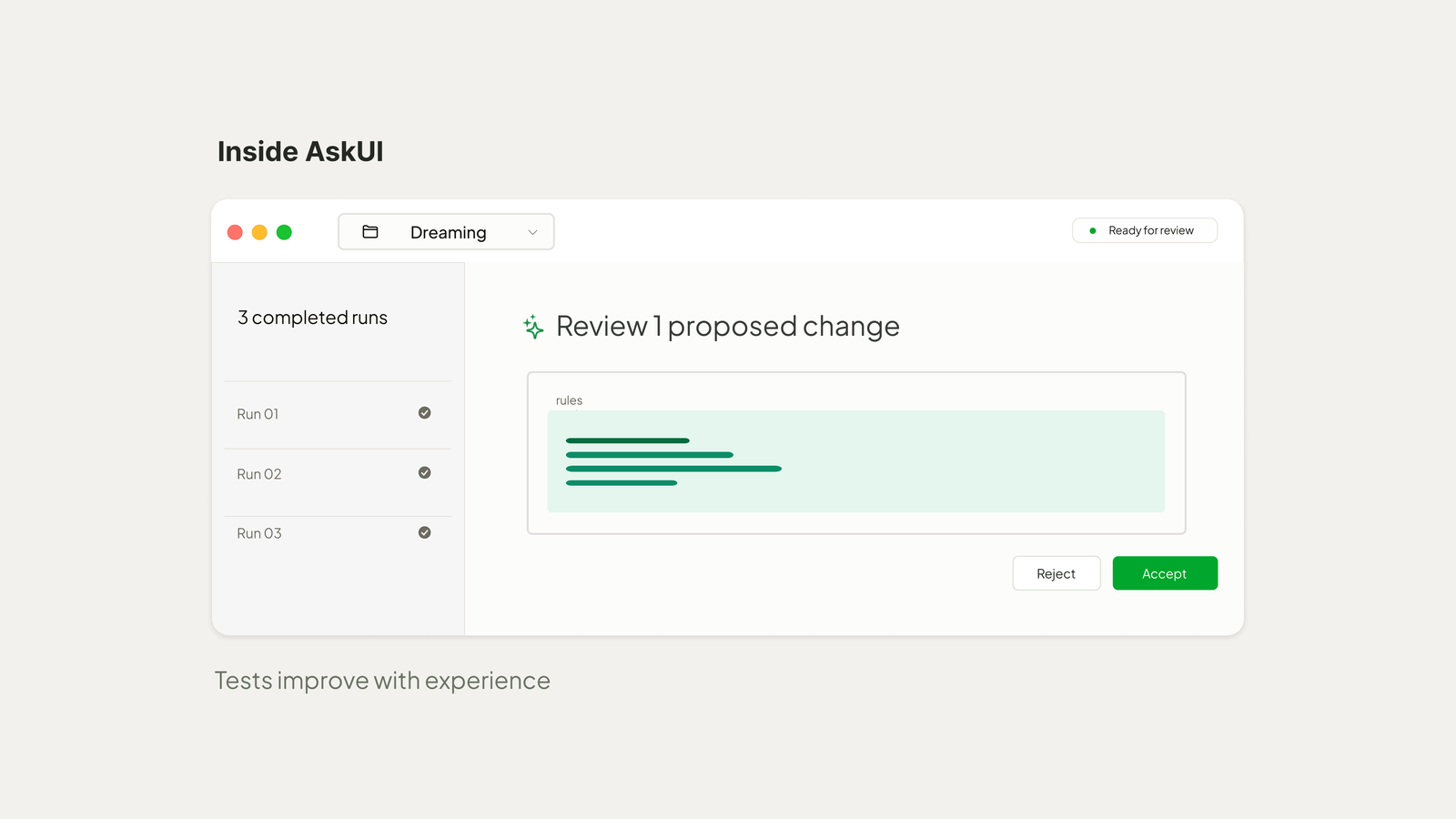
Automated tests need maintenance. In UI test automation and regression testing, products change from release to release, so tests that worked before can gradually stop matching what is actually in the product. This work adds up with every additional test in your test base. The key resulting problem is that the more time testers spend maintaining existing tests, the less time they have to actually contribute value by reporting defects or deciding what should be tested next.
AskUI Dreaming changes this paradigm fundamentally by turning evidence from completed test runs into reviewable improvements to the test project. This turns the usual pattern on its head: instead of tests gradually decaying as the product evolves, they can improve and mature through execution experience.
From test runs to reviewable improvements
Every AskUI test run creates evidence about what actually happened during execution. The trace shows the instruction the agent received, the action it took, and the screen or state it reached afterwards. Screenshots, failed steps, reports, and recorded issues add further context. Dreaming analyzes this evidence for inconsistencies, inaccuracies, or other opportunities to improve the test project. These can include project instructions, UI knowledge, setup and teardown steps, shared procedures, or individual test definitions.
Each proposed change is presented to the tester together with the reason behind it and the runs that support it. Testers review the proposals and decide what should become part of the project.
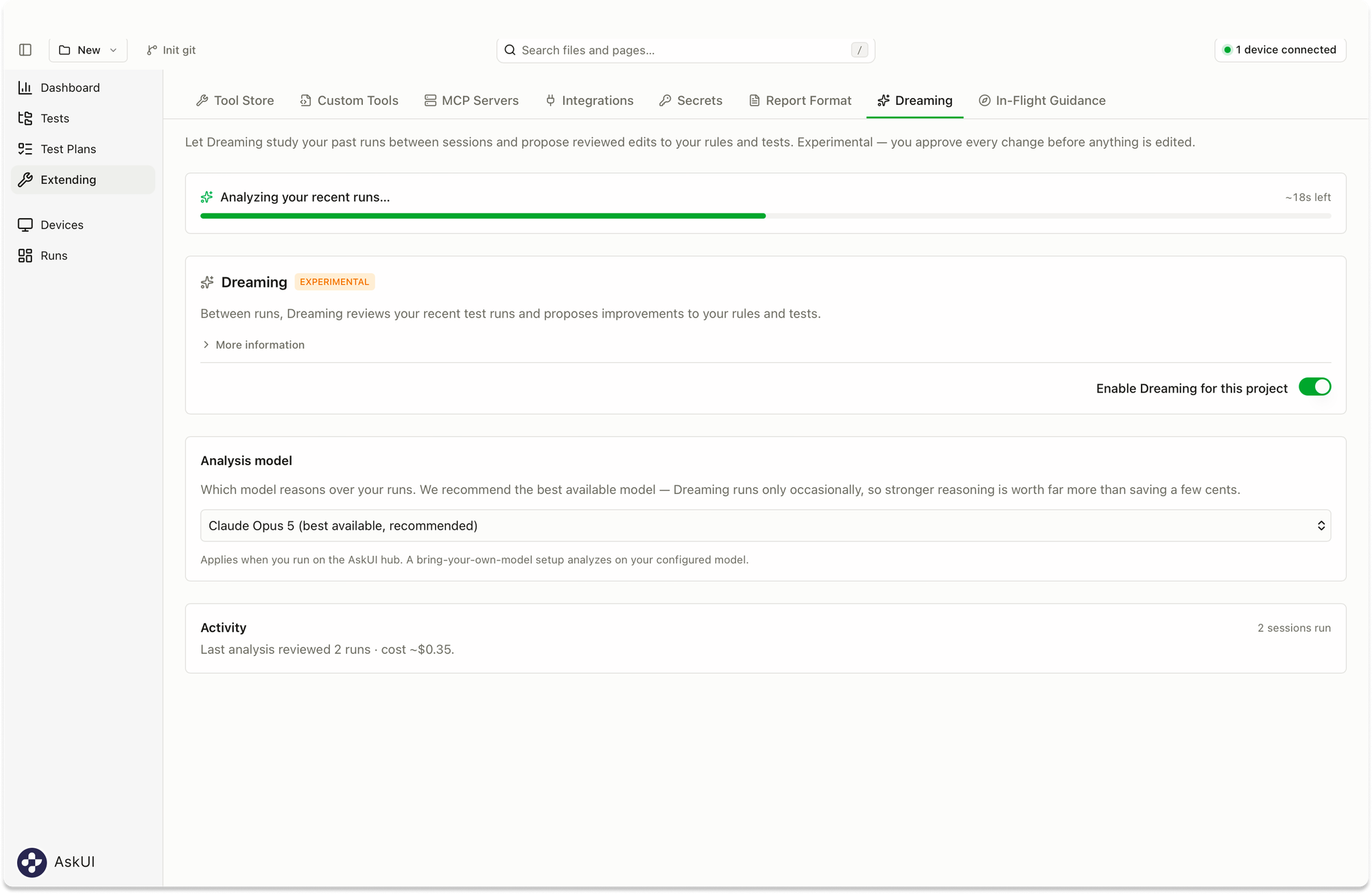
Dreaming analyzes completed test runs and turns execution evidence into focused, reviewable improvements to the test project.
A concrete example
To make this concrete, we use an intentionally outdated test for a Radio app running on Android Automotive. The test expects a tab called "Presets".
During execution, the agent opens the Radio app and finds the tabs Favorites, Tune, and Browse instead. Hence, the step to open Presets is marked as failed, and the remaining dependent steps are skipped. The execution report for the test preserved both the expected instruction and the actual UI state the agent reached.
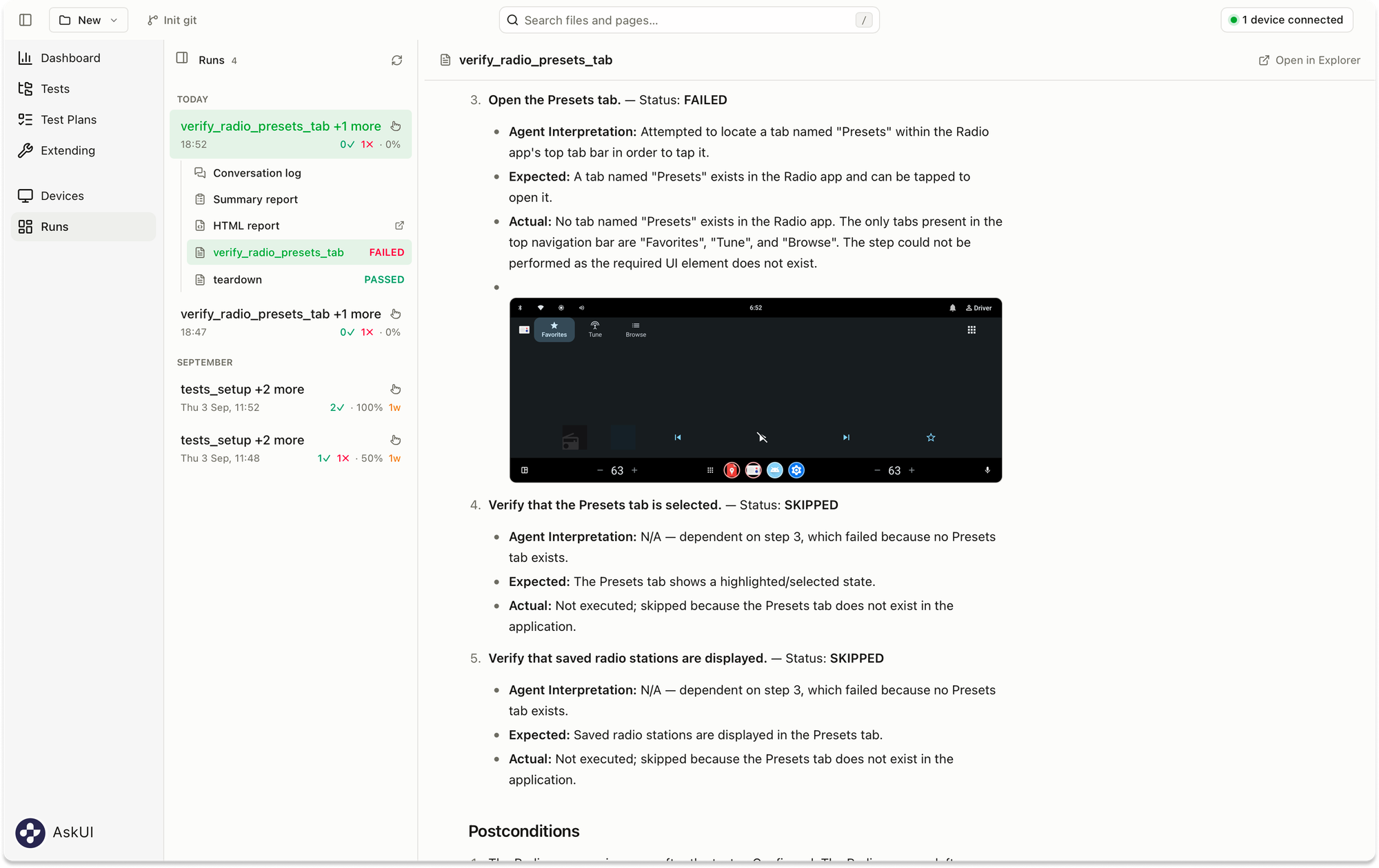
The run shows what the test expected and what the agent actually found in the Radio UI. This evidence becomes available to Dreaming after the execution is complete.
After the run, we use AskUI Dreaming to analyze the trace for possible improvements to the test project. In this case, Dreaming proposes an update to the project rules. When the agent could not continue because the expected UI element was missing, it captured another screenshot of the same unchanged screen to satisfy the existing per-step screenshot rule. Dreaming proposes adding a rule so the existing screenshot could be reused when a blocked step does not change the UI.
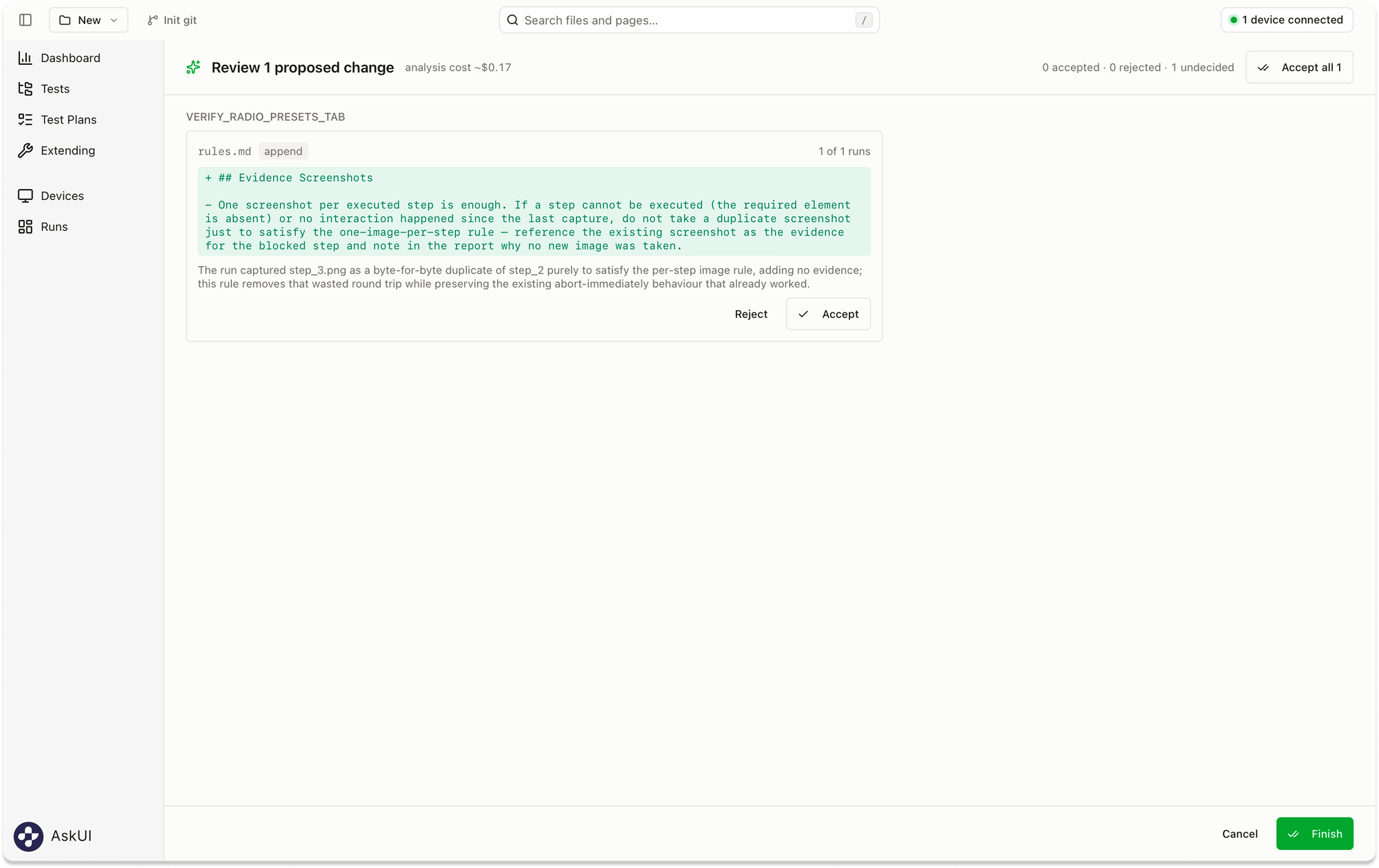
Dreaming proposes a focused update to the project rules, explains why it is suggesting the change, and leaves the decision to the tester.
Best practices for Dreaming
- Use multiple runs. Pool several completed runs instead of analyzing a single execution in isolation. Currently, at least three runs are required before Dreaming can start an analysis.
- Review proposals before applying them. Check the evidence and rationale behind each suggested change, then decide what should become part of the project.
- Keep changes under version control. Use a system such as Git so changes remain traceable and you can review or revert them if the test project starts drifting in an unwanted direction.
From maintaining how to deciding what to test
AskUI Dreaming shifts test maintenance work from manually analyzing and updating tests toward reviewing focused proposals. This will ultimately give QA teams more time to focus on deciding what should be tested next: new functionality, additional paths, edge cases, and risks.
A test suite should not only run. It should improve from experience.
FAQ
Does Dreaming automatically apply changes?
No. Dreaming presents proposed edits for review. Testers can accept all proposals, accept a subset, or reject them.
What evidence does Dreaming use?
Dreaming analyzes completed run traces and outcomes, including pass or fail status, failing steps, recorded issues, and screenshots.
What can Dreaming improve?
Dreaming can propose edits to rules.md, ui.md, setup.md, teardown.md, shared procedures, and test definitions.
Is Dreaming a self-healing test automation tool?
Dreaming proposes incremental, reviewable changes based on completed runs. It does not automatically apply them or silently change test intent. Testers review and decide what should be applied.
How does Dreaming reduce test automation maintenance?
Dreaming analyzes evidence from completed runs and proposes focused, reviewable changes to the test project. This reduces the manual work needed to keep existing tests aligned with the product as it changes.