 YouYoung Seo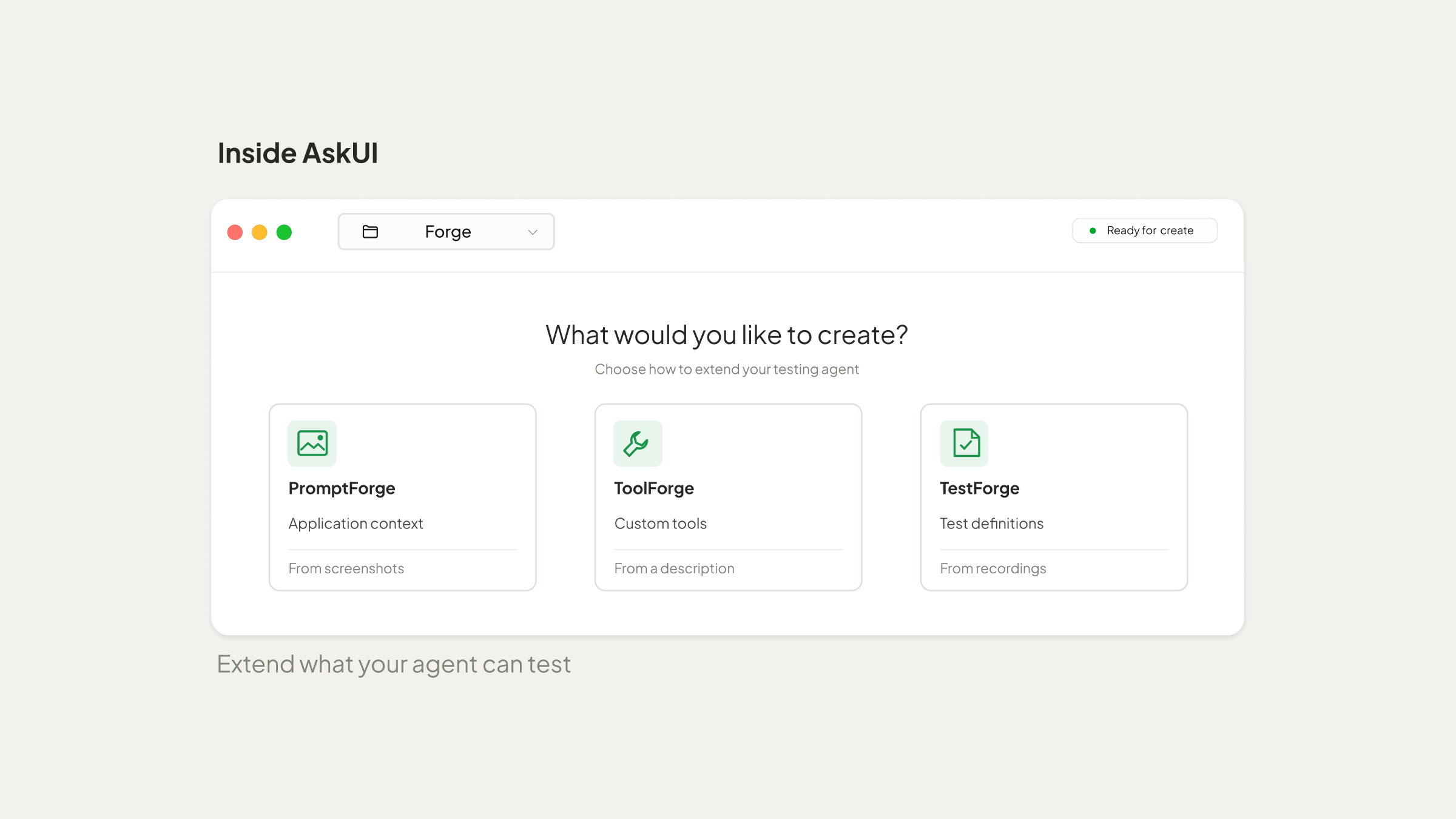
A new test scenario may require more than your testing agent is currently equipped to handle. Preparing an agent for it can involve writing application-specific instructions, developing custom tools, or defining new tests.
AskUI Forge enables testers to adapt and extend their agents to meet new testing requirements with minimal effort! This allows testers to spend less time on technical setup and focus more on what they actually want to test.
AskUI Forge consists of three features, each addressing a different aspect of test preparation:
- PromptForge generates application context from screenshots, helping the agent understand an application's navigation, behavior, and interaction rules.
- ToolForge creates custom tools from natural-language descriptions, allowing testers to add specific capabilities their agent doesn't already have.
- TestForge turns narrated screen recordings or written specifications into test definitions that the agent can execute.
To see how these features work together, we put Forge to the test with a scenario that required more than standard UI interactions.
The Test: BACnet Command Priorities
For this example, we used the open-source BACnet Lab Simulator, which simulates devices used in building automation systems, including heating, ventilation, and air conditioning (HVAC).
The simulator has a web interface for viewing and controlling virtual devices, as well as a REST API for interacting with them programmatically.
Our test focused on AHU-01, a simulated air handling unit, and its cooling valve. The valve's position is controlled by setting a percentage value.
Here's where things get interesting. BACnet uses 16 command priority levels to determine which value takes effect when multiple commands target the same point. Priority 1 is the highest, while priority 16 is the lowest.
In this simulator, the web interface sends commands at priority 16. We wanted to find out what happens when a higher-priority command is active. Would it override the value set through the UI? And would the previous UI value take effect again once that command was released?
The challenge was that the web interface couldn't send commands at priority 8. The simulator's REST API could, but our testing agent needed a way to perform those operations alongside browser interactions.
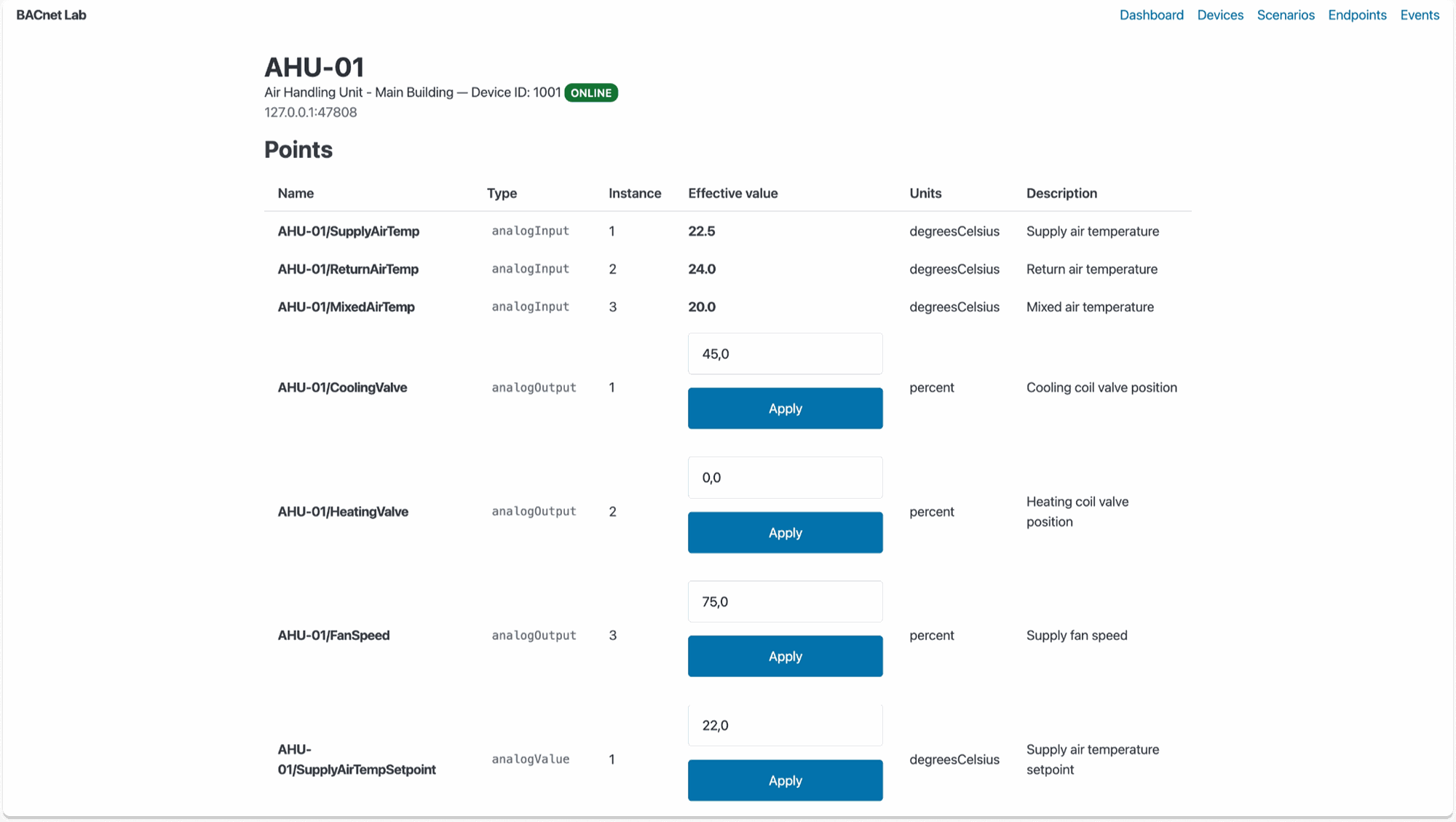
AHU-01 in the BACnet Lab Simulator, showing the CoolingValve control and its initial value of 45%.
Building the Test with Forge
1. PromptForge: Giving the Agent Application Context
We started by opening PromptForge through Tests → ui.md → Forge from screenshots and uploading three screenshots of the BACnet simulator: the device list, the AHU-01 details, and the CoolingValve control.
Alongside the screenshots, we provided a description of the application's navigation, controls, and BACnet-specific behavior, including how to locate the cooling valve, change its value, and interpret the values displayed in the UI.
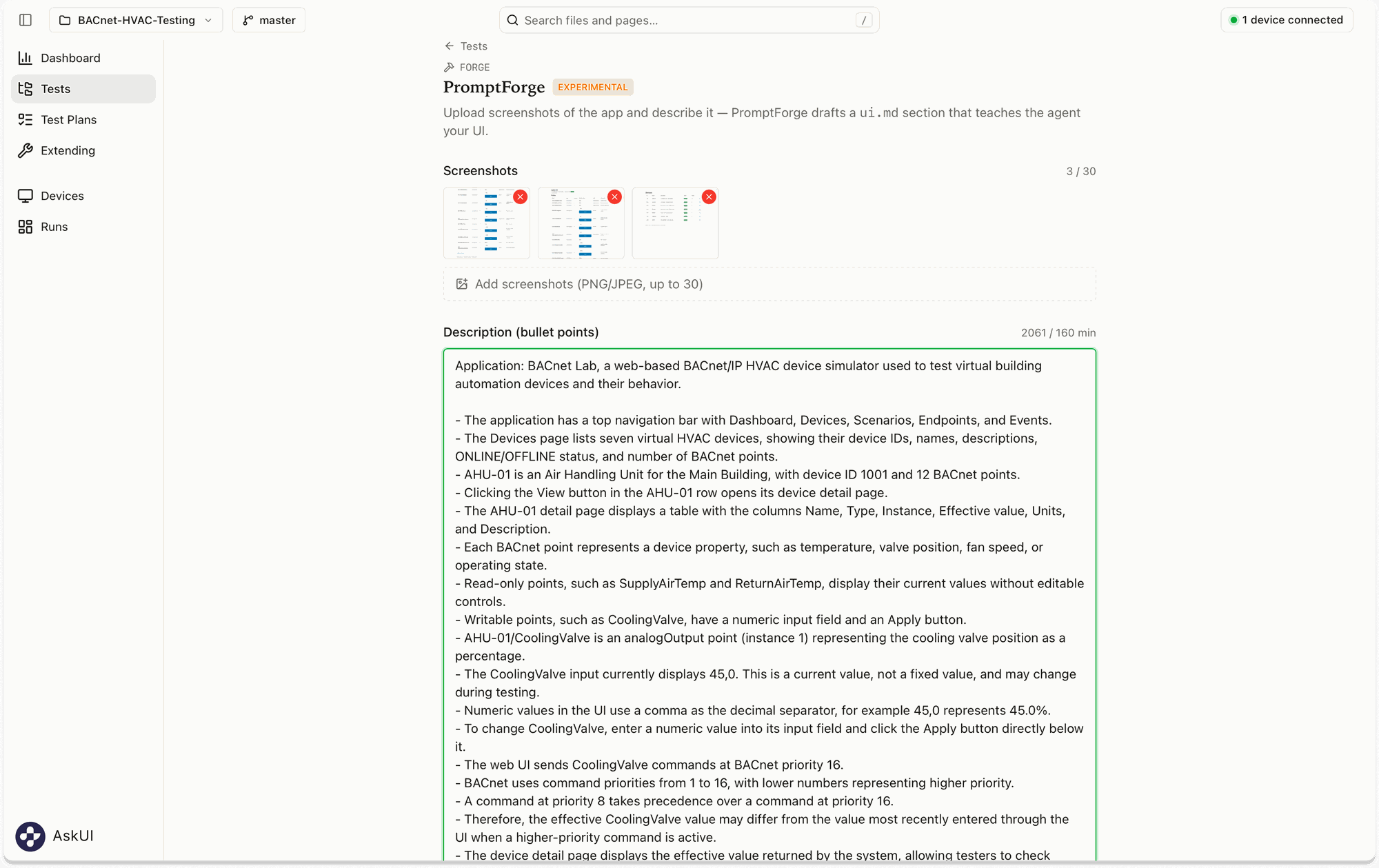
Screenshots and application-specific instructions provided to PromptForge
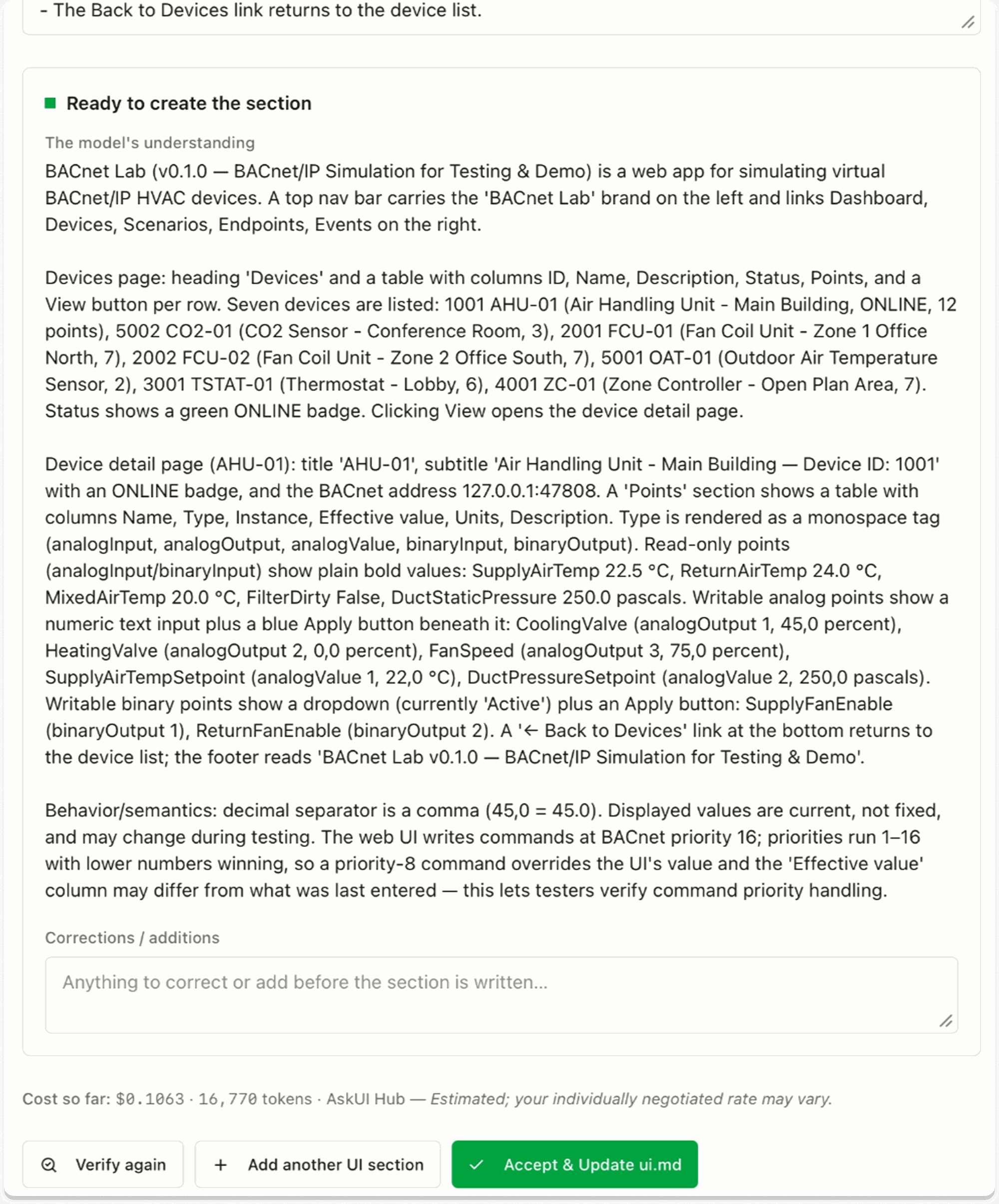
PromptForge's verification step shows the model's understanding before the user accepts the generated section.
After checking the details, we accepted the section. PromptForge generated a structured ui.md file in seconds, covering the simulator's navigation, UI elements, and interaction rules. Instead of writing everything line by line, we only needed to make a small adjustment to fit our test scenario.
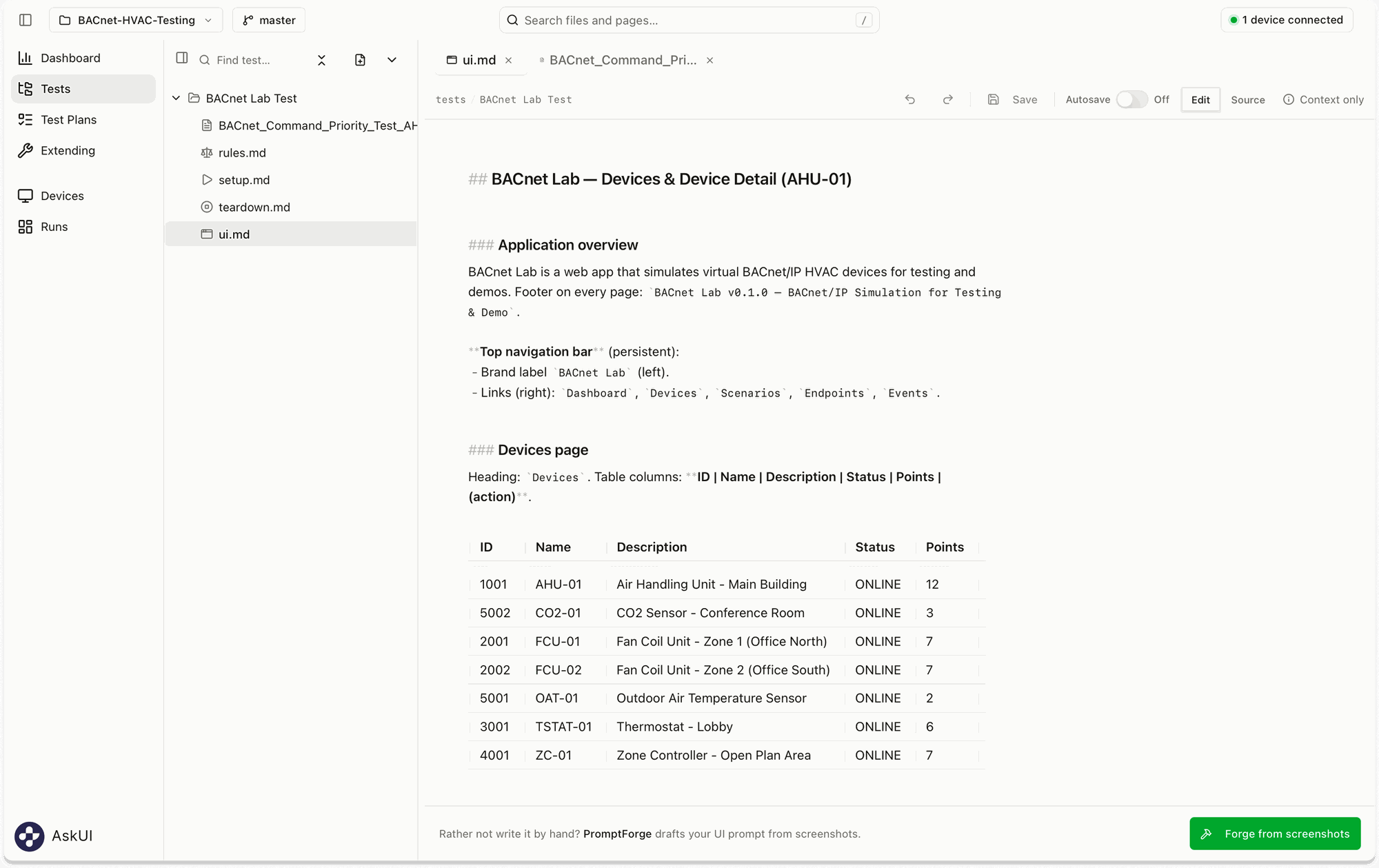
The ui.md generated by PromptForge, containing application navigation and device information for the testing agent.
2. ToolForge: Creating a Custom Tool
Next, we needed to give the agent access to the BACnet commands required for our test. Instead of writing the integration code ourselves, we used ToolForge to create a custom tool based on the simulator's REST API.
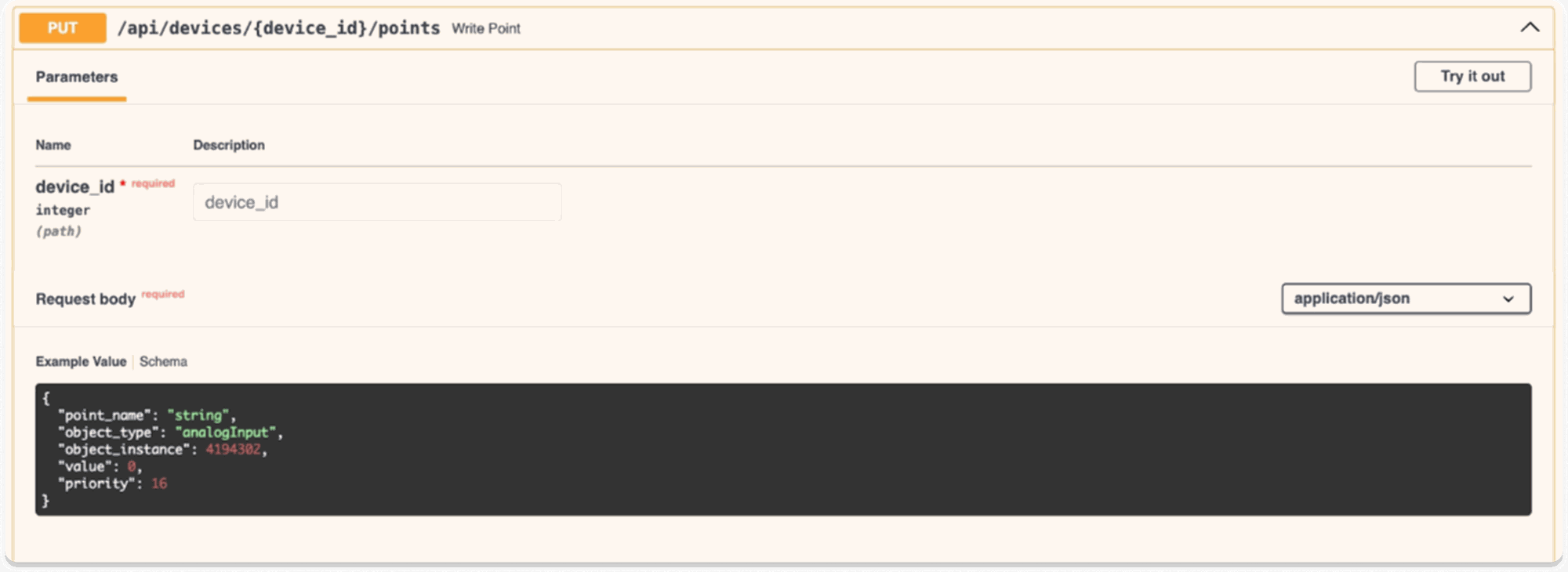
The simulator's REST API supports sending commands with a specified BACnet priority.
To create a custom tool, we opened Extending → Custom Tools → Forge a tool in AskUI Desktop.
We described a tool called bacnet_command that could perform three operations: write a value at a specified priority, read the current effective value, and release an existing command. The description also included the API endpoints, required inputs, and expected responses.
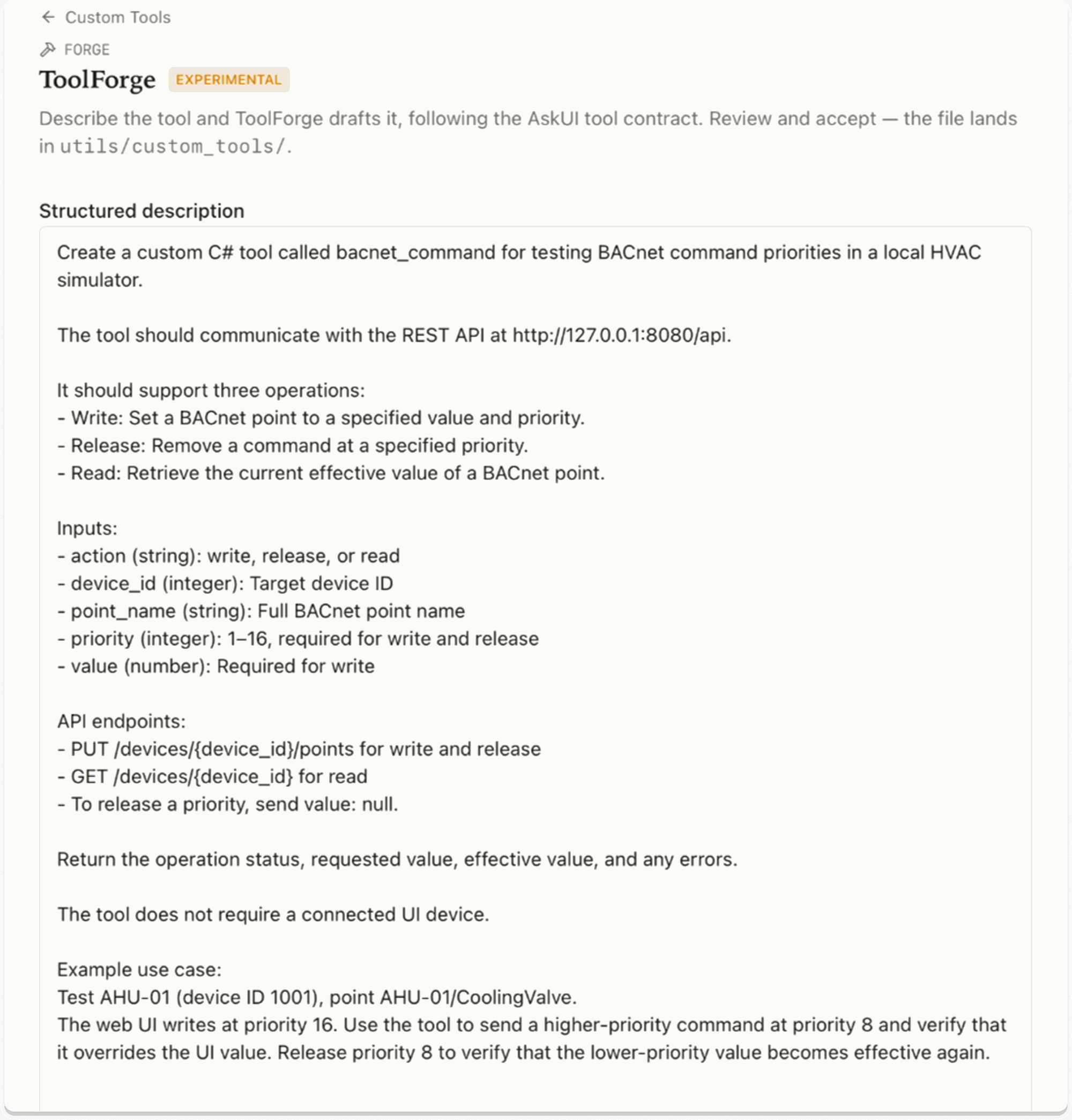
Defining the BACnet command tool's operations and API requirements in ToolForge.
During verification, ToolForge asked for additional details about the API, particularly the request body for writing commands and the response structure used to retrieve the effective value.
We checked the API documentation and response structure to confirm the required field names. The write request uses point_name, value, and priority, while the device response contains a points array with object_name and present_value.
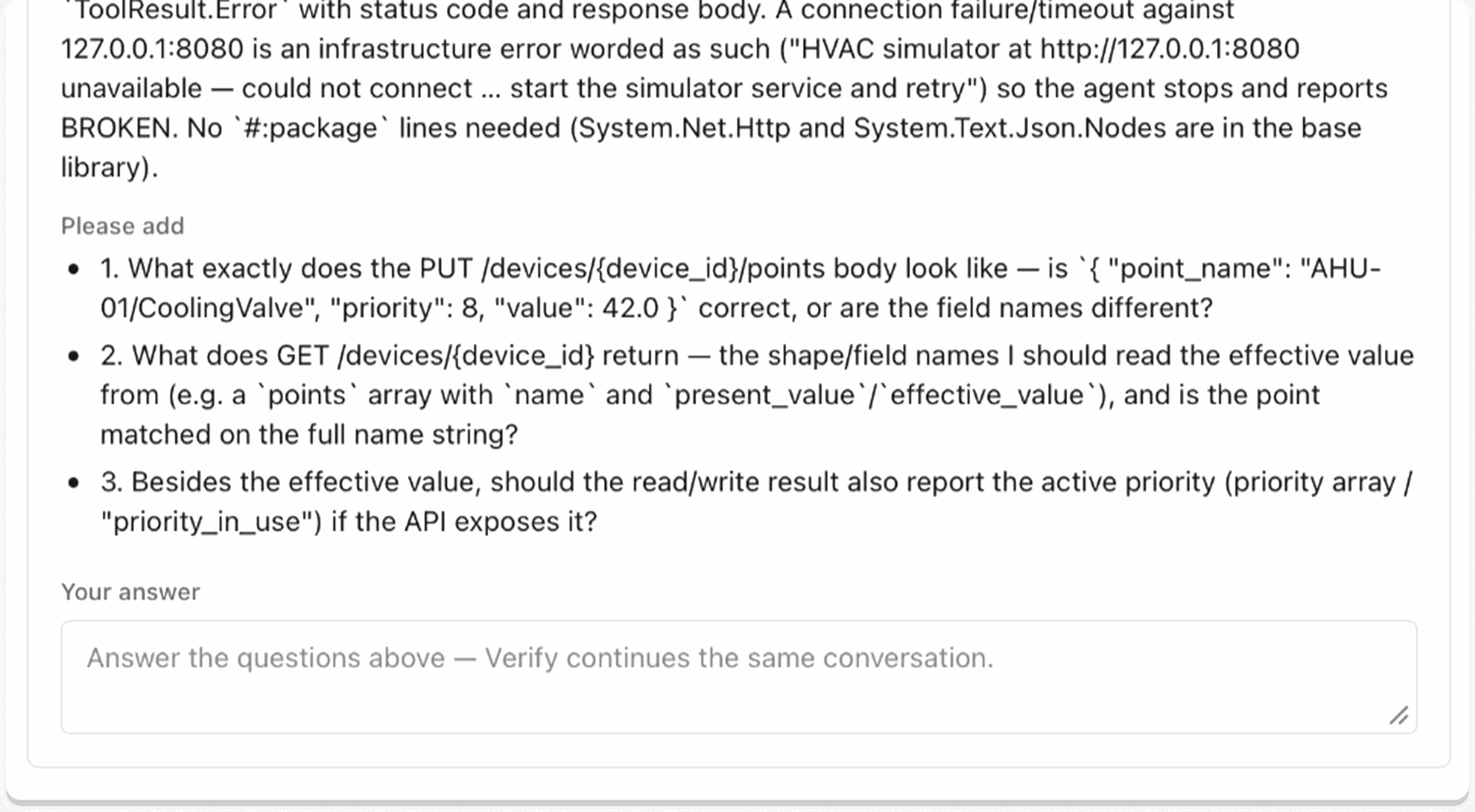
ToolForge requests additional API details before generating the custom tool.
With the API details confirmed, ToolForge generated bacnet_command_tool.cs in under a minute, registering bacnet_command as a custom tool the agent could use during testing.
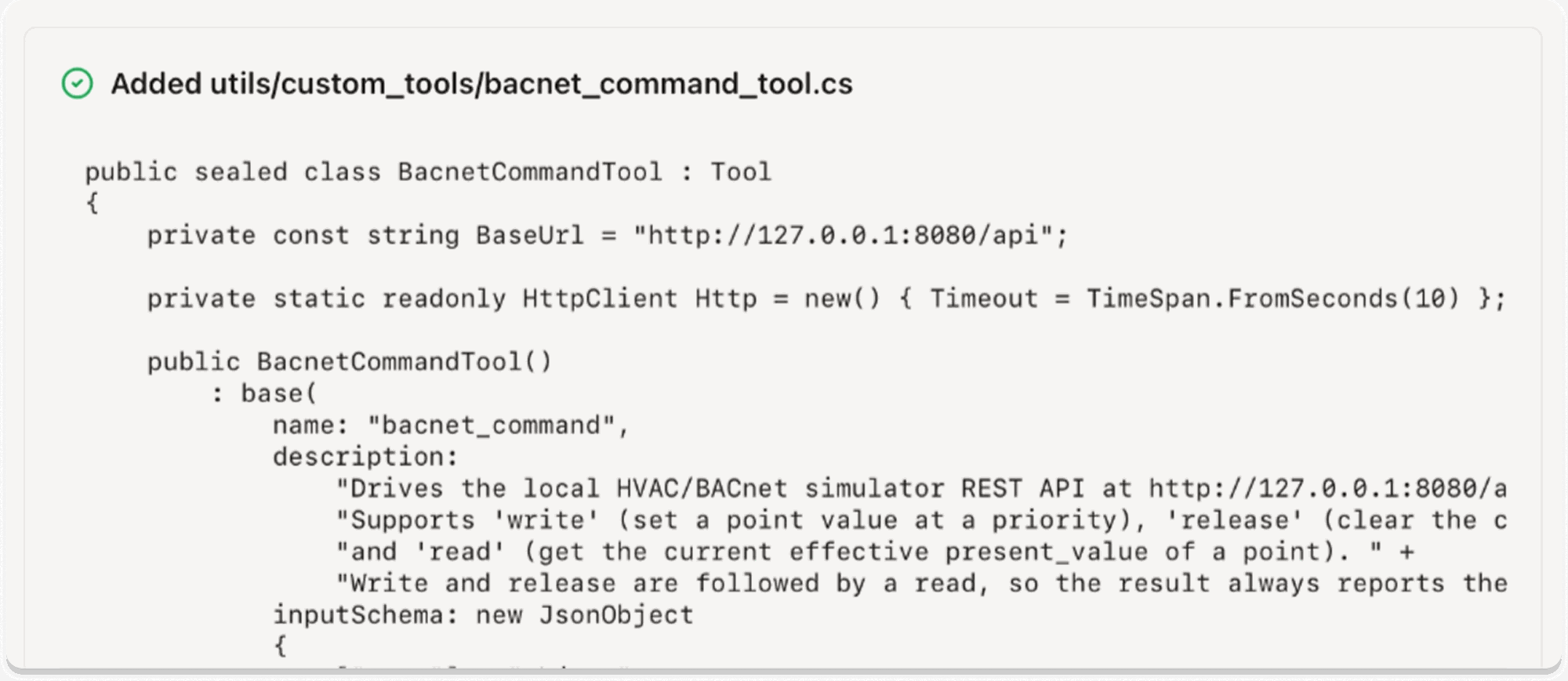
ToolForge generates bacnet_command_tool.cs, registering bacnet_command as a custom tool for the testing agent.
3. TestForge: Creating Tests from Demonstrations
The final step was to turn our test scenario into a test the agent could execute, using both the simulator's UI and the custom BACnet tool.
Instead of writing each test step manually, we recorded a walkthrough of the BACnet simulator while explaining what the test should verify. The video showed how to navigate to AHU-01 and interact with the CoolingValve control, while the narration described the higher-priority commands and expected results that weren't visible in the recording.
To open TestForge, go to the Tests page in AskUI Desktop and click Forge a test when no test file is open.
We uploaded the recording along with additional instructions specifying when to call bacnet_command and which effective values to verify.
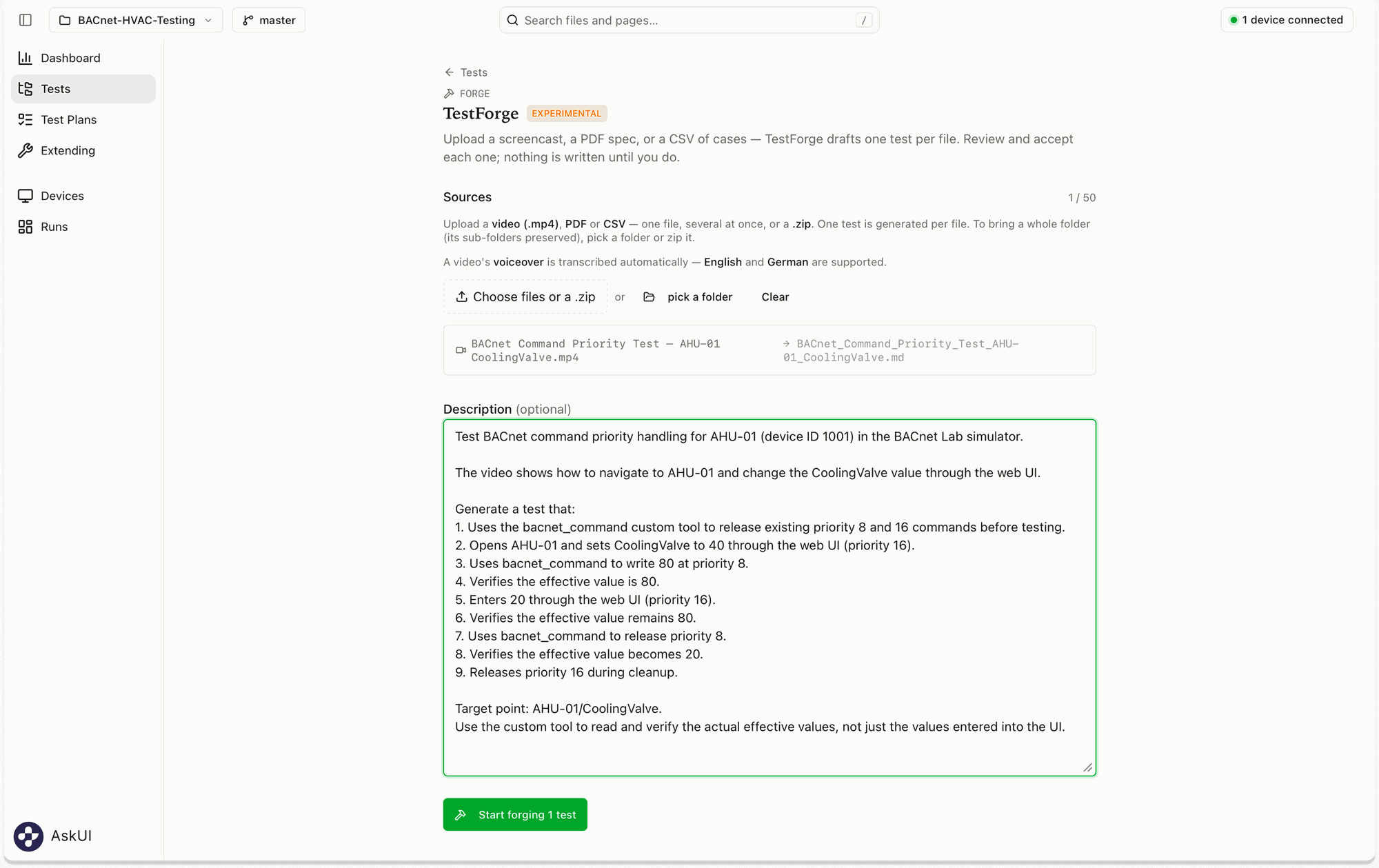
A narrated screen recording and additional test instructions provided to TestForge.
TestForge transcribed the narration and used it alongside the recording and written instructions to draft the test sequence, including UI interactions, BACnet commands, and expected results.
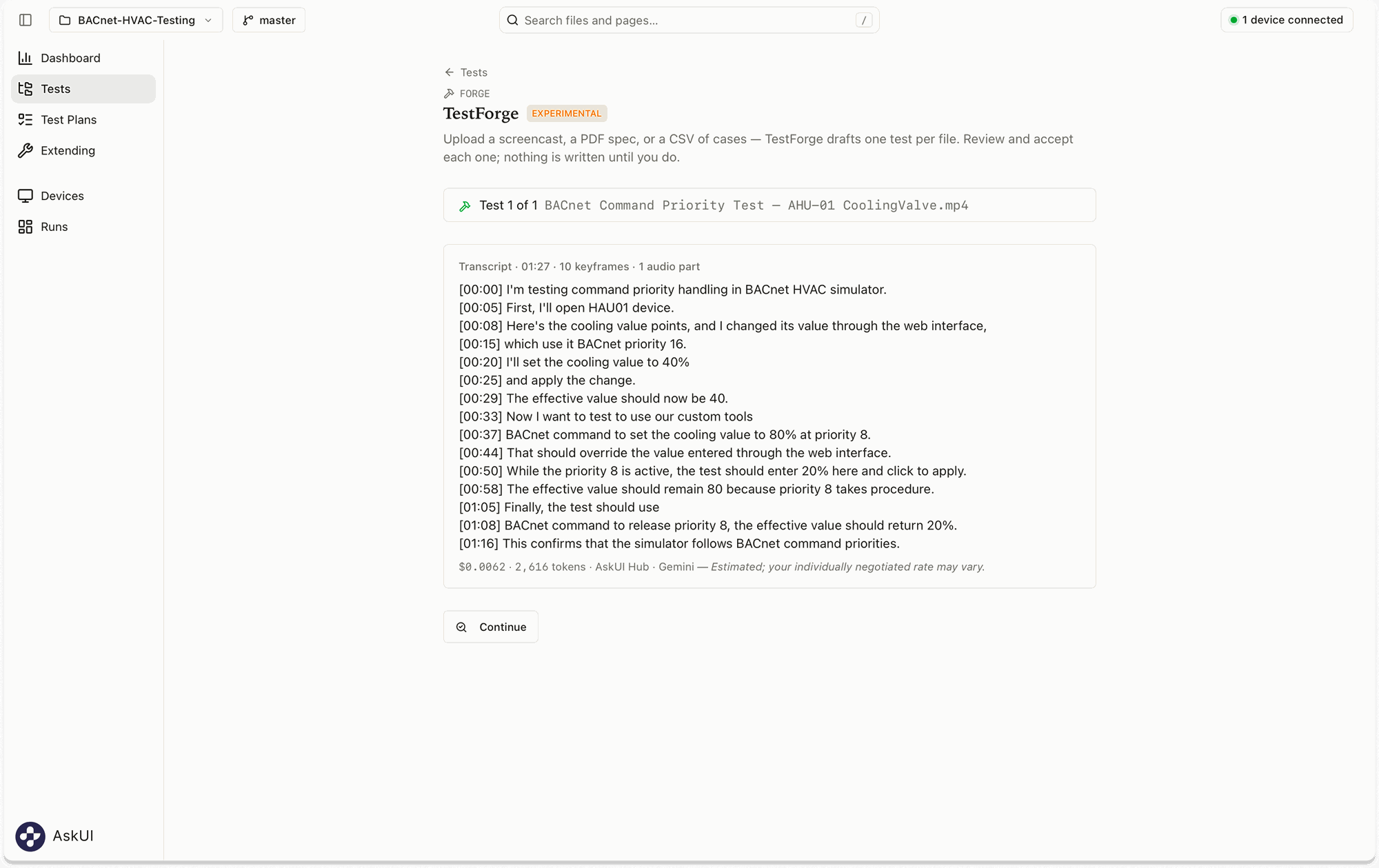
The recorded narration is transcribed as part of the test generation process.
During verification, we reviewed the proposed test steps and confirmed that the correct custom tool would be used for the BACnet commands. After making the necessary adjustment, we accepted the test.
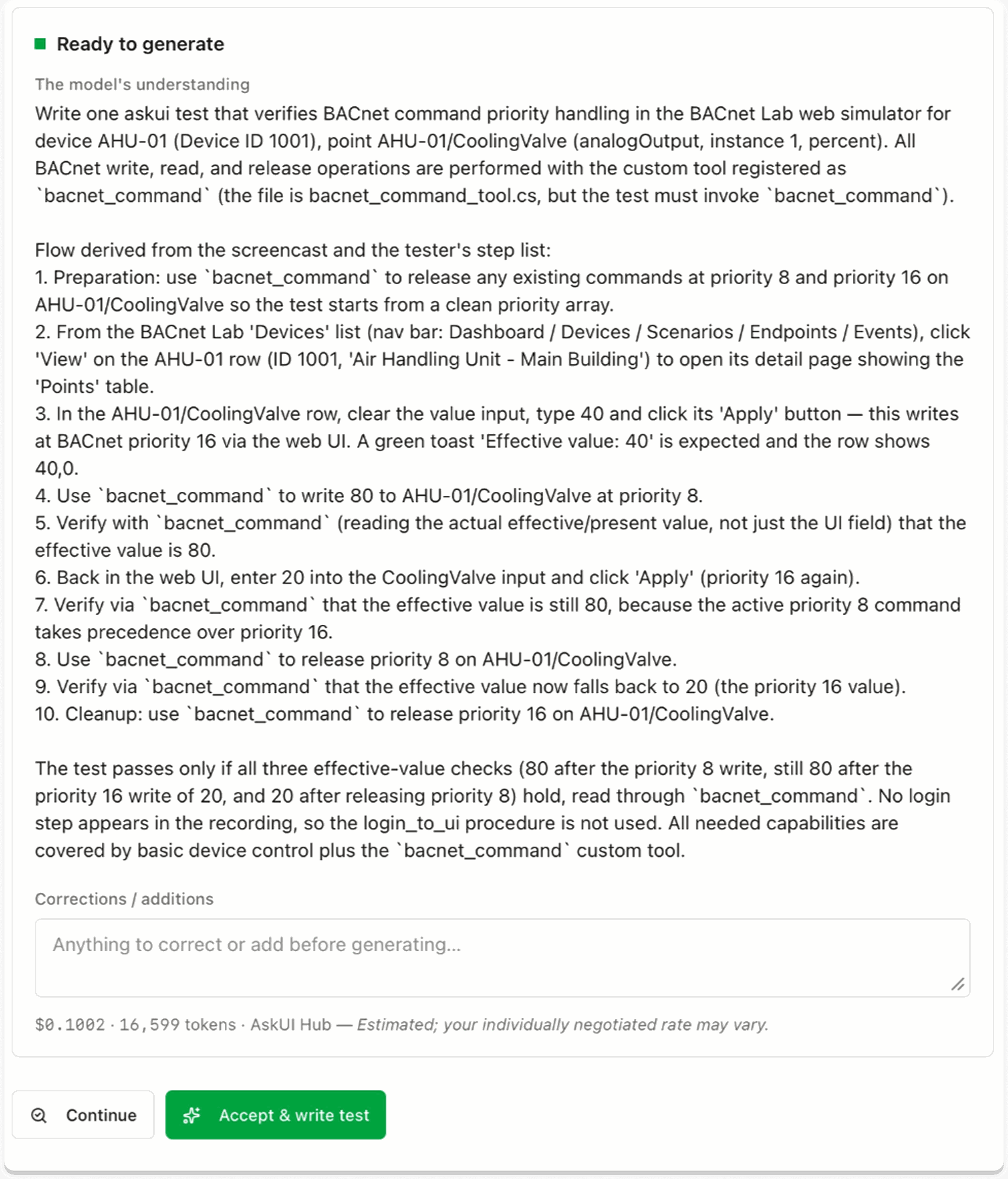
Reviewing the proposed test steps and custom tool references before generating the test file.
TestForge turned our narrated walkthrough and written instructions into a Markdown test definition, combining browser interactions, calls to bacnet_command, and checks of the cooling valve's effective value. After a final review, the test was ready to run.
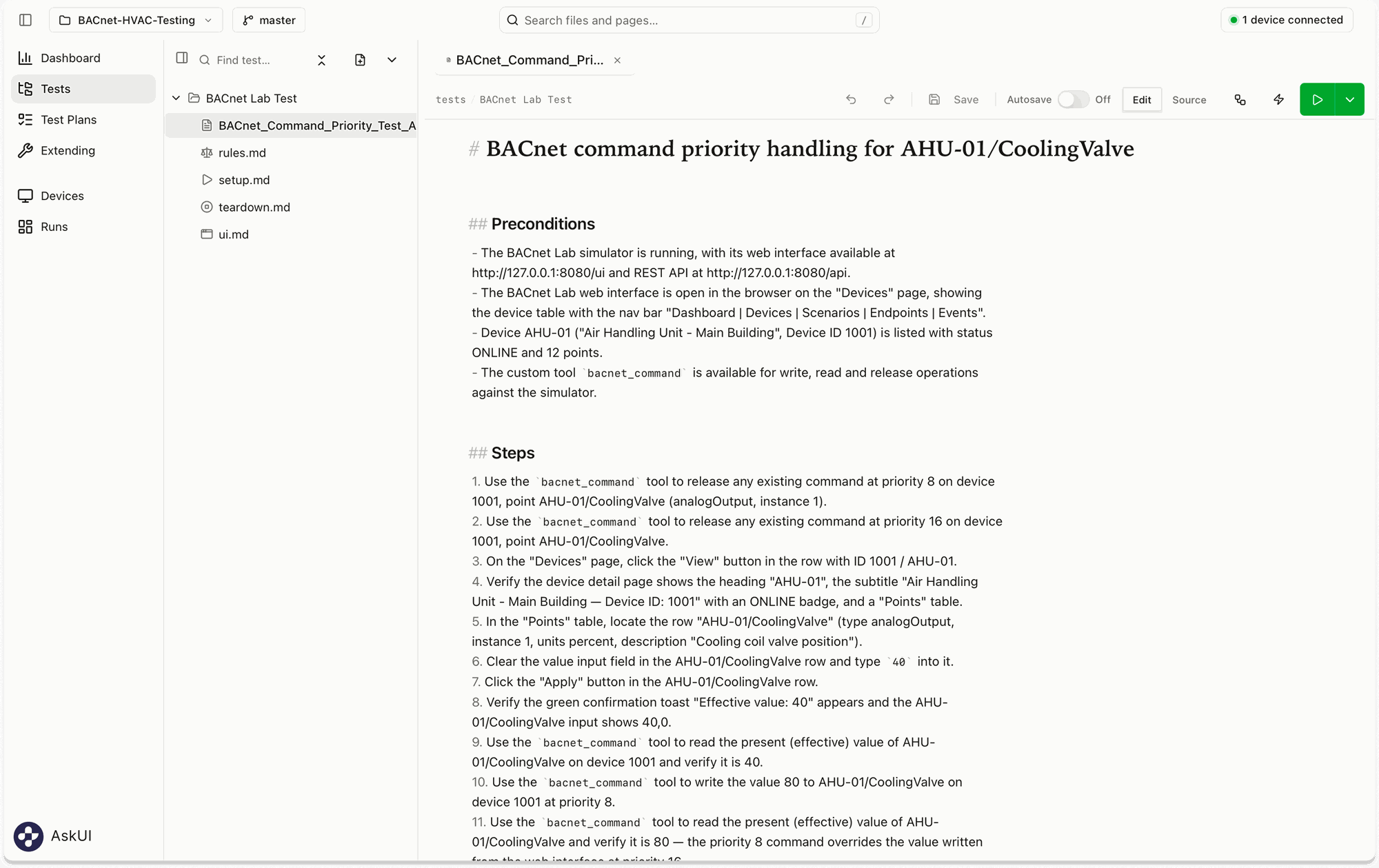
The generated test definition combines UI interactions, custom tool calls, and expected results.
Running the Test
With the application context, custom tool, and test definition ready, we ran the full scenario with the AskUI agent.
The agent navigated the simulator's web UI, interacted with the CoolingValve control, and used bacnet_command to execute commands and verify the results through the REST API.
The key check worked as expected: even after the agent submitted a new value through the UI, the higher-priority command remained in effect until it was released.
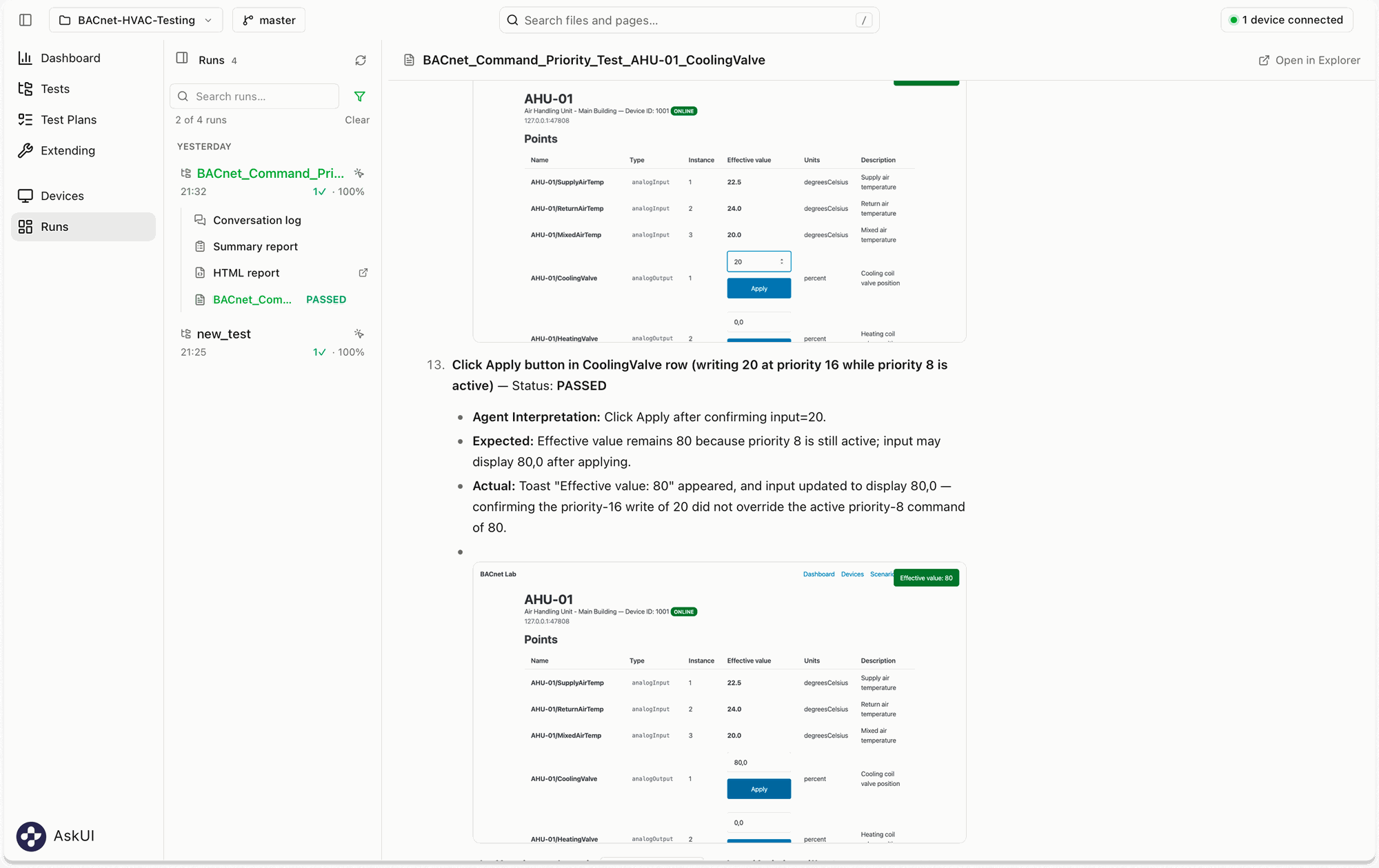
The effective value remains at 80% after a lower-priority command of 20% is submitted through the UI.
All 18 test steps passed. The agent successfully completed the scenario using both browser interactions and the custom tool generated with Forge.
The test report also recorded the expected and actual results, allowing us to review what the agent did and how the simulator responded.
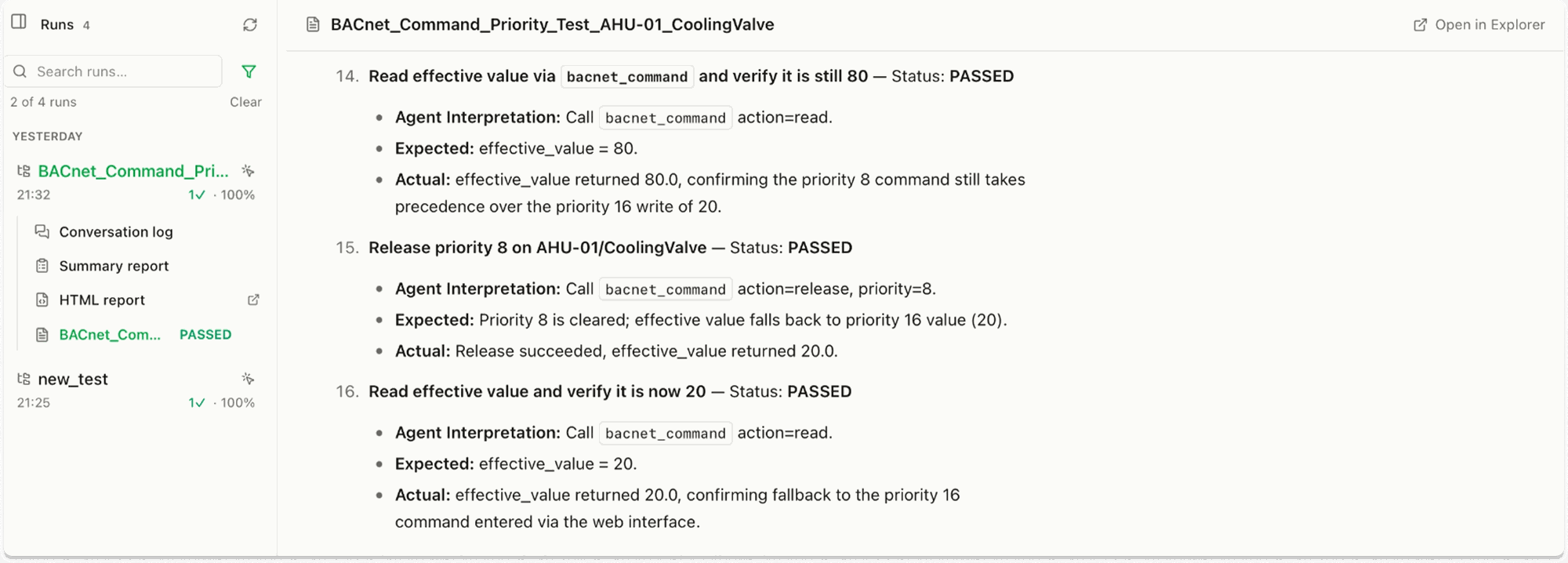
The test report shows successful value verification and priority release operations using bacnet_command.
What This Means for QA Teams
New testing requirements can call for capabilities that an agent doesn't already have, whether that's application-specific knowledge, custom tools, or new test definitions.
Forge gives testers a way to prepare and extend their agents for these scenarios, using screenshots, descriptions, and demonstrations rather than manually implementing every component. Testers can review the agent's understanding, correct details where needed, and decide what to accept before using the generated results.
For QA teams, this means greater control over how their testing agents evolve, with more attention on what needs to be tested and less on the technical work required to make it possible.
FAQ
Do I need programming experience to use AskUI Forge?
No programming is required to get started! You can use natural-language descriptions, screenshots, and screen recordings to create application context, custom tools, and test definitions. More complex integrations may require technical information, such as API endpoints and request formats. The generated results can be reviewed and adjusted before use.
Can I review what Forge generates before using it?
Yes. Each Forge feature includes a verification step where you can review the model's understanding, provide corrections, and confirm the requirements before accepting the generated result.
Can ToolForge create tools for more than REST APIs?
Yes. ToolForge is designed to extend an agent's capabilities through custom tools, not just API integrations. The BACnet example demonstrates one use case where a custom tool connects the agent to functionality exposed through a REST API.
Can TestForge generate tests without a screen recording?
Yes. TestForge supports written test specifications as well as narrated screen recordings. You can describe the scenario and expected behavior without providing a video.