
 YouYoung Seo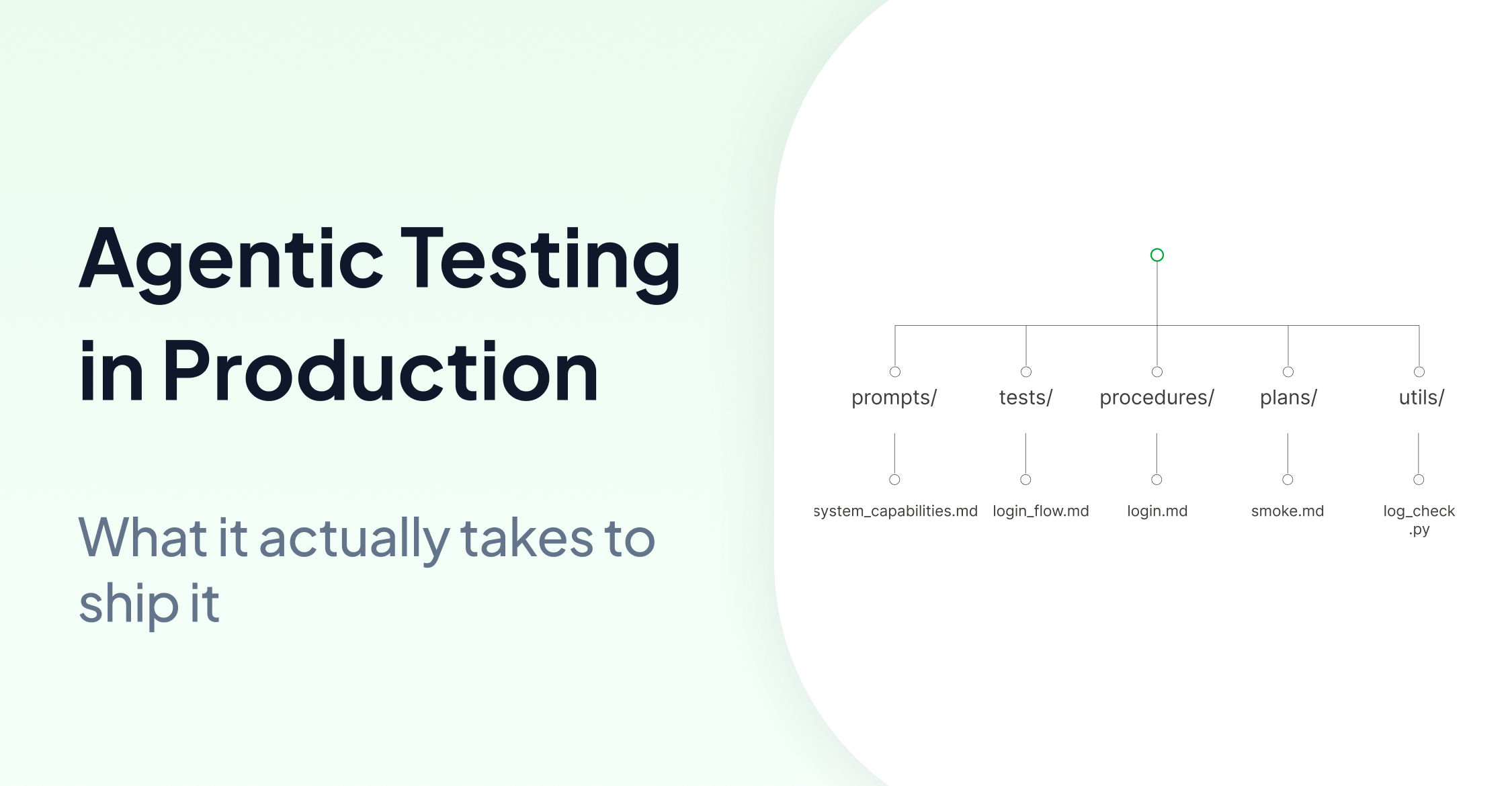
The first three parts of this series made the case for why the shift from deterministic to intelligent testing matters for teams that want to scale. Traditional automation tends to stall at the edges. AI-assisted tools help in some of those cases. Computer-use agents extend coverage into the zone where scripts usually break down.
But there is a question the series has not answered yet.
How do you actually run it?
Not conceptually. In production. On real infrastructure. With a test suite that your QA team can maintain, your CI pipeline can execute, and your compliance team can sign off on.
That is what this part covers.
Previously in this series:
1. Why Traditional Test Automation Will Never Scale
2. When AI-Assisted Testing Is Not Enough
3. What Testing Looks Like When Intelligence Replaces Algorithms
The Gap Between “Agentic Testing” and Running It
Most teams that look into agentic testing hit the same wall. The idea is easy to understand. But benchmark performance is not a deployment plan.
What does the test look like? Who writes it? Where does it run?
How does it connect to the application under test?
What happens when it fails?
What does the output look like for a QA manager or an auditor?
These are infrastructure questions, and the answers are more concrete than most teams expect.
In Practice, Tests Are Plain Text
The first thing to understand about agentic testing infrastructure is what a test actually is.
In practice, the test is written as a Markdown file rather than a script or function.
# Login Flow · Smoke Test

## Preconditions
- The application UI is open and visible
- No user is currently logged in

## Steps
1. Read credentials from credentials.txt
2. Enter the username and password into the login form
3. Click the green "Login" button on the bottom right
4. Wait until the dashboard loads

## Postconditions
- Test passes if the user is logged in and the green backend connection indicator is visible
A person who has never seen the application can read this and understand exactly what it is testing. That is the standard. If a developer needs to translate the test before it can be used, the definition is probably too technical.
This is not just a simplification. It is a core part of the model. When tests are plain text, QA engineers write them directly from requirements without translation, without an engineer in the loop. The same natural language that lives in a Jira ticket becomes the test case.
Seven Concepts That Structure the Model
AskUI’s authoring model is built on seven concepts. In practice, these seven concepts are enough to structure projects ranging from a single smoke test to suites covering hundreds of scenarios across multiple environments.
1. System Prompts define how the agent thinks. If a test definition tells the agent what to do, the system prompt tells it how to behave, what the application is called, how its navigation works, what terminology means, how to handle errors. Getting these right improves how the agent behaves across the rest of the suite. (A deeper guide to writing good system prompts for computer-use agents is here.)
2. Test Definitions are the actual test cases. Markdown or CSV files, stored in a tests/ folder. Title, preconditions, numbered steps, postconditions. One file per test.
3. Setup & Teardown handle preparation and cleanup. Drop a setup.md in any folder and the agent runs it before every test in that folder, logging in, opening the application, seeding test data. teardown.md runs after. The cascade mirrors how stack frames open and close.
4. Procedures are reusable step sequences. Write login_to_ui.md once with [username, password] parameters. Reference it from any test. When the login screen changes, update one file and every test that references it is fixed automatically. No find-and-replace across hundreds of scripts.
5. Rules tune agent behavior per folder. When the agent keeps doing something unexpected in a specific context, a rules.md file in that folder adjusts it without touching the global system prompt. Environment constraints, error handling behavior, forbidden actions, all scoped precisely.
6. Test Plans pick which subset of tests to run. A plans/commits.md file lists the critical-path tests that run on every commit. plans/nightly.md runs the full regression suite. The agent reads the plan, finds the matching tests, and executes only those.
7. Custom Tools extend the agent with existing code. If your team already has Python that parses application logs, queries a database, or reads sensor values, subclass Tool from the AskUI SDK and the agent calls it like any built-in capability. This allows teams to reuse existing code without rebuilding their tooling from scratch.
Where AgentOS Runs
The runtime connects the agent to the application under test. In AskUI, this layer is handled by AgentOS, which captures screenshots and executes physical inputs such as mouse, keyboard, and touch events, acting as the bridge between the LLM’s decisions and the actual interface.
It runs in two configurations.
-
Same machine
Agent, AgentOS, and application all on one host. In the simplest setup, AgentOS runs directly on the test runner. Most common for desktop applications, browser automation, and CI VMs.
-
Companion device
Agent and AgentOS run on a separate machine(a Pi, a mini-PC, or a laptop) connected to the target device via USB HID and HDMI. The target stays completely untouched, with no software installed. This is the configuration for locked-down HMIs, embedded devices, and mobile phones where IT policy prohibits third-party installation on the device itself.
Same SDK, same tests, no code changes between the two. Only the physical connection changes.
For teams with data residency requirements, BYOM (Bring Your Own Model) lets you route inference through your own cloud endpoint: Anthropic API, AWS Bedrock, GCP Vertex, or Azure. Sensitive screenshots never leave your tenancy. Nothing changes in the test suite itself. Only the inference endpoint changes.
Reporting That Is Generated by Default
Every test run automatically produces three structured artifacts.
The Execution Report is the forensic trace: every observation, every decision, every action, timestamped and linked to a screenshot. When something breaks and the team needs to understand why, this is where they look.
The Test Report covers per-test status with warnings, exceptions, and verifications. The release gate for automation engineers.
The Summary Report is aggregated pass/fail across the full run. One glance tells a QA manager whether the release is green.
These reports are generated by default, whether or not anyone explicitly creates them. For teams operating under CRA, ISO 26262, IEC 62304, or any other framework that requires traceable evidence, this matters. Conformity proof without manual assembly.
The Practical Roadmap
Getting from zero to a production-grade agentic test suite does not require a big-bang migration. The path that works across most teams follows five stages.
Day 1. Install AgentOS. Write one test end-to-end. Aim for a green run on the simplest critical path before the day is out.
Week 1–2. Stabilize a minimal set of three to five critical-path tests. Three consecutive green runs locally before promoting anything to CI. Iterate on system prompts and rules until agent behavior is consistent.
Week 3–4. Install AgentOS on a CI VM. Schedule the smoke set nightly and on every commit. Tighten the Test and Summary reports.
Week 5–8. Grow from five tests to fifty or more. Cover all critical user journeys per module. Run Replay activates for stable paths and costs flatten.
Week 9+. Expand to full module coverage. Wire Test and Summary reports into the technical file. Integrate with CI server. At that point, the infrastructure is ready for production use.
In practice, the gap between Day 1 and Week 9 is often smaller than teams expect, because the tests stay simple while the infrastructure handles execution and reporting.
How the Collaboration Works in Practice
Three questions come up at almost every kickoff: who builds the test repository, who writes the Markdown files, and how often does the team sync.
Who builds the repo? The initial repository setup (folder structure, system prompts, plans, CI hooks) is typically done in week one. The team takes ownership from week two onwards, with ongoing support shifting to review and unblocking.
Who writes the tests? QA engineers, domain experts and testers. The point of plain-text tests is that anyone who knows the application can author them, no scripting or automation expertise is required. The first batch is typically written collaboratively to establish the style, then the team takes it from there.
What does the ongoing rhythm look like? The cadence that works across most teams follows three levels. A short daily standup covers authoring blockers, agent behaviour questions, and prompt iteration, skipped when nothing is outstanding. A weekly sync covers coverage progress, suite stability, and prioritisation. A monthly review brings in metrics, roadmap adjustments, and a demo of new capabilities.
The handoff from scaffolding to team ownership typically happens within the first two weeks. By that point, the test authoring pattern is established and the suite can expand independently.
What Changes When the Infrastructure Changes
The three-part argument of this series was about what becomes possible when intelligence replaces algorithms at the execution layer.
This part is about what that actually looks like when you build it.
Tests written in natural language, directly from requirements. An authoring model that any QA engineer can use without automation expertise. Infrastructure that runs on the same machine, on a separate companion device, or on a CI VM. Reports that exist by default.
The shift is not about replacing what works. Deterministic automation handles stable, well-defined test cases efficiently and it should keep running. Agentic testing extends coverage into the zone where scripts stop working. This includes ambiguous instructions, environments without accessible element structure, the test cases that describe outcomes rather than sequences.
That zone is where most teams have been relying on manual testing for years, often without fully accounting for the coverage gap it represents.
In practice, the test project starts to scale more like software than like a script library: the instruction set grows with the product, and the infrastructure adapts around it.
FAQ
What is agentic testing?
The first three parts of this series cover the concept and architecture in detail, starting with Why Traditional Test Automation Will Never Scale, then When AI-Assisted Testing Is Not Enough, and What Testing Looks Like When Intelligence Replaces Algorithms.
Who can write an agentic test case?
Anyone who knows the application can author them, no scripting or automation expertise required. If you can describe what the test should do, you can write it.
How do I get started with agentic testing?
The practical path starts with a single test. Install AgentOS, write one Markdown test end-to-end, and aim for a green run on day one. From there, stabilize a small set of critical-path tests before promoting anything to CI. The roadmap section above covers the full five-stage path.
How does agentic testing work in CI/CD?
AgentOS can be installed on a CI VM and tests scheduled to run nightly and on every commit. The smoke set runs on every commit; the full regression suite runs nightly.
What environments can computer-use agents test?
Any environment with a visible interface. The same agent framework covers desktop applications, browser-based apps, embedded HMIs, and mobile devices. For locked-down targets where software installation is not permitted, AgentOS runs on a separate companion device connected via USB HID and HDMI.
Does BYOM require changes to the test suite?
No. Same agent code, same tests, same reports. Only the inference endpoint changes.