YouYoung Seo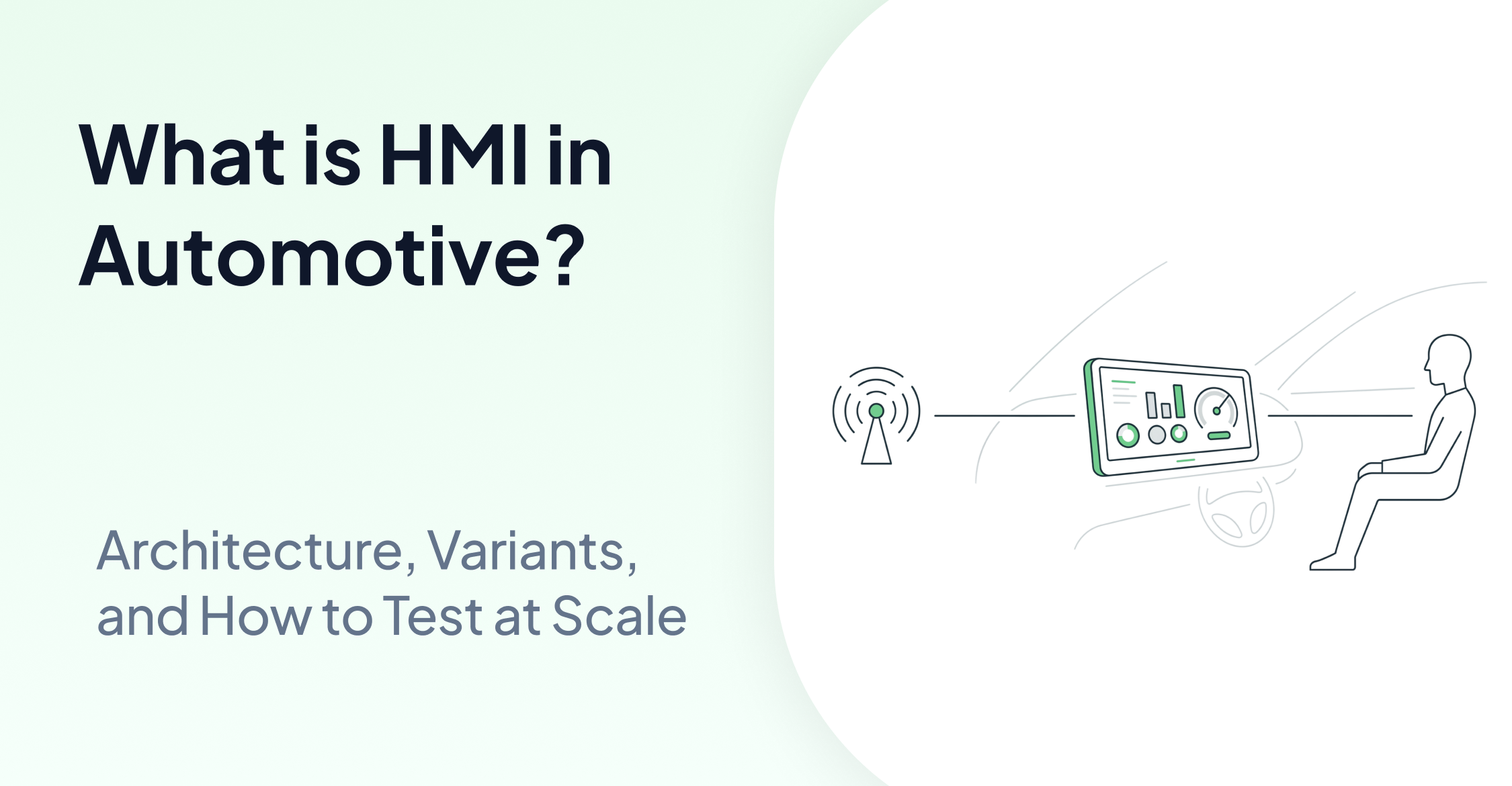
TLDR
HMI in automotive refers to every interface through which a driver or passenger interacts with vehicle systems, from touchscreens and instrument clusters to voice controls and steering wheel buttons. Modern vehicles now run complex software stacks on these displays, making HMI development and validation one of the most technically demanding areas in automotive engineering. This post explains what automotive HMI covers, how it is built, and why testing it requires a different approach than traditional software QA.
Introduction
Engineers and QA leads working on in-vehicle systems are under increasing pressure to ship reliable interfaces across dozens of hardware variants, regional markets, and software versions. The problem is not a lack of tools. It is that most testing infrastructure was built for web and desktop software, not for embedded displays that receive signals from a CAN bus and render state without a DOM.
HMI in automotive is a broad term that covers every touchpoint between a human occupant and the vehicle's electronic systems. That includes the instrument cluster showing speed and battery level, the central infotainment touchscreen, climate control panels, heads-up displays projected onto the windshield, and increasingly, rear-seat entertainment systems. Each of these surfaces has its own rendering stack, update cadence, and failure mode.
Understanding what HMI means in automotive is the prerequisite for understanding why its development and testing pipelines look so different from standard enterprise software. The stakes are also higher. A misrendered warning icon or a delayed touch response on a safety-critical display is not a UX bug. It is a compliance and safety issue.
What HMI Means in Automotive Systems
The HMI full form in automotive is Human-Machine Interface. In practice, the term covers the hardware layer (display panels, physical buttons, haptic actuators), the software layer (graphics rendering engine, application logic, middleware), and the integration layer that connects both to the vehicle's electronic architecture.
In older vehicles, HMI was largely mechanical or analog. Speedometers used cable-driven gauges. Climate controls used physical sliders connected directly to actuator cables. The interface and the system were the same physical object.
Modern vehicles decouple these layers entirely. A digital cluster shows vehicle speed by reading a signal from the powertrain control module over a CAN bus and rendering a number on a display. The cluster has no mechanical connection to the drivetrain. The display is a software-rendered surface that can be updated over the air.
This decoupling creates flexibility, but it also creates a testing problem. The display state must be verified independently from the signal state. A CAN signal can be correct while the display renders it incorrectly, and vice versa.
The Architecture Behind Automotive HMI Development
Automotive HMI development typically involves three distinct technical disciplines working in parallel: systems engineers defining the signal architecture, embedded software engineers building the rendering layer, and HMI designers specifying interaction behavior and visual language.
The rendering layer in most modern vehicles runs on an operating system such as Linux with AGL (Automotive Grade Linux), QNX, or Android Automotive OS. Frameworks like Qt, OpenGL ES, or Kanzi are commonly used to build the graphical components. Each of these stacks has different tooling support, which creates fragmentation across vehicle platforms.
Signal handling is managed through middleware such as AUTOSAR Classic or Adaptive AUTOSAR. Signals arrive over vehicle buses (CAN, CAN FD, Ethernet, LIN) and are routed through the software stack to the display application. The time between a signal being sent and a display rendering the correct state is a measurable, testable property called display latency.
Integration testing must verify that the correct signal produces the correct display state within an acceptable latency window. This is what makes automotive HMI testing structurally different from browser-based functional testing. There is no accessibility tree, no DOM, and no selector to query. The only source of truth is what appears on the screen.
HMI Variants and the Scale Problem
One vehicle program rarely ships as a single configuration. A single model line may have a base cluster variant, a premium digital cluster, a head-up display option, and different center stack configurations for different markets. Each combination requires a validated HMI.
Regional variants add further complexity. EU markets require specific warning symbols mandated by UNECE regulations. North American markets have different units and labeling requirements. Right-hand-drive markets may mirror certain display layouts. Each variant must be tested against its own specification.
This is the point where manual HMI testing stops scaling. A QA team that can validate one display configuration through a manual test script cannot replicate that process across 50 variants within a release cycle. The test cases are structurally identical. The expected outputs differ by variant. What is needed is a test infrastructure that can parameterize across variants without rewriting scripts.
The automotive OEM case study that AskUI has published shows 50-plus HMI variants automated within a single test infrastructure, with test cycles running ten times faster than the previous manual process. The mechanism is that test logic is written once and the configuration layer handles variant-specific expected outputs.
How Signal-to-UI Verification Works in Practice
Signal-to-UI Verification is the process of confirming that a vehicle signal sent over the bus produces the correct visual state on the display within a defined time window. It is the core test pattern in automotive HMI validation.
The test flow typically looks like this. An external tool such as CANoe or a dSPACE hardware-in-the-loop system sends a CAN signal, simulating a condition such as low fuel, a door ajar, or a lane departure warning. The test infrastructure then reads the display state and checks whether the correct icon, value, or warning has rendered correctly.
AskUI operates at the display verification step. It does not send CAN signals. External hardware tools handle signal injection. AskUI reads the display state after a CAN signal is sent and compares the rendered output against the expected state defined in the test case. This separation of concerns keeps the test infrastructure modular. Signal tooling and display verification can be updated independently.
For teams looking at how to automate this kind of testing at scale, the post on HMI testing automation covers the tooling architecture in more detail. The follow-up on agentic AI in HMI testing covers how LLM-driven agents handle multi-step interaction sequences across display surfaces.
How AskUI Fits Into Automotive HMI Pipelines
AskUI is agentic testing infrastructure built for environments where DOM-based automation does not apply. In automotive HMI testing, that covers the instrument cluster, the center stack touchscreen, the heads-up display, and any embedded panel that renders without an accessibility layer.
The ComputerAgent receives a natural language instruction such as "verify that the low fuel warning icon is visible in the instrument cluster." The agent determines that a screenshot is needed, captures the current screen state, and the LLM reasons about element positions and states from the image. The execution layer then returns a pass or fail result based on the instruction.
On first run, the agent executes full LLM inference and records the trajectory. On subsequent runs, the cached trajectory is replayed, which reduces execution time significantly and lowers token cost per test cycle. If the UI has changed, the agent detects the mismatch during the post-replay verification step and makes a correction rather than failing silently.
For teams running SCADA or factory HMI testing alongside in-vehicle display validation, the HMI and SCADA automation post covers how the same execution layer applies across both environments.
AskUI deploys on-premise, which is a hard requirement for most automotive OEM programs. It is ISO 27001 certified, GDPR compliant, and operates with zero model training on customer data. Bring Your Own Model is supported for teams with approved LLM vendors.
The architecture that supports this is covered in more depth in the three-layer architecture post.
FAQ
What is HMI in automotive?
HMI in automotive stands for Human-Machine Interface. It refers to all interfaces through which vehicle occupants interact with electronic systems, including digital instrument clusters, infotainment touchscreens, heads-up displays, climate panels, and steering wheel controls. In modern vehicles, these interfaces are software-rendered surfaces connected to the vehicle's electronic architecture via communication buses such as CAN or Ethernet.
What is the HMI full form in automotive engineering?
The full form is Human-Machine Interface. In automotive engineering, the term specifically refers to the combination of display hardware, embedded software, and signal integration that allows a driver or passenger to receive information from and send inputs to vehicle systems.
How is automotive HMI development different from standard software development?
Automotive HMI development operates under stricter safety and compliance requirements and runs on embedded operating systems rather than general-purpose platforms. The interface must handle real-time signals from vehicle buses, render correctly across hardware variants, and meet regulatory display requirements that differ by region. Standard web or mobile development tools do not apply without significant adaptation.
How do you test an automotive HMI without a DOM or accessibility tree?
Testing an HMI display that has no DOM requires reading the rendered screen state directly. The test infrastructure sends a stimulus, either through a physical interaction or a CAN signal injected by external hardware, and then captures and analyzes the display output. Tools that rely on selectors or accessibility trees cannot operate in this environment. Screen-based execution, where the LLM reasons about the rendered display state from a captured screenshot, is the method used in agentic testing infrastructure designed for embedded displays.
What is Signal-to-UI Verification in automotive HMI testing?
Signal-to-UI Verification is the test pattern that confirms a vehicle bus signal produces the correct visual output on a display within a defined latency window. An external tool injects the signal, and the test infrastructure verifies the display state. It is the primary validation method for instrument clusters and warning systems where the displayed state must accurately reflect the vehicle's actual condition.