

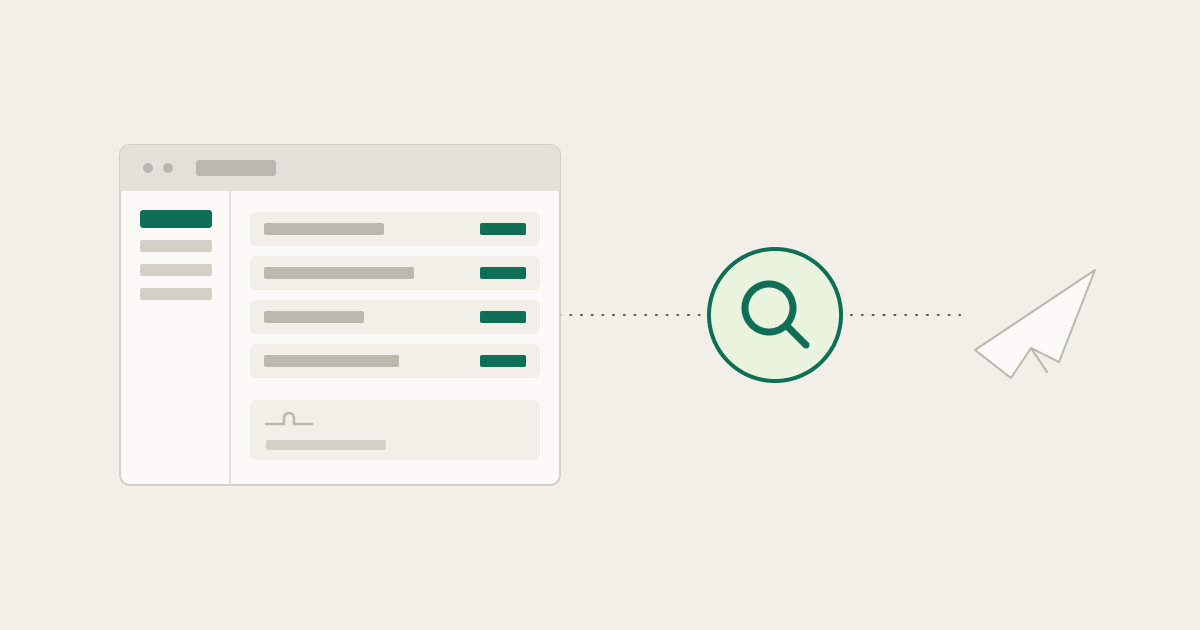
In one automotive-supplier RFQ workflow, a single request arrived as a bundle of roughly forty files, technical specs, NDAs, spreadsheets, PDFs, packaged into a zip a few tens of megabytes in size. Handling it meant receiving the RFQ notification email, logging into the correct vendor portal, downloading the RFQ, analyzing the documents, highlighting differences to previous versions, saving the files into a custom document system, and routing them internally. For a stretch, one person on the team was effectively dedicated to this work, because the process never reduced to anything simpler.
The cost isn’t really about missing a deadline, sellers typically have plenty of time to fill these out. It’s the labor itself: every hour spent logging in. retrieving. and routing a request is an hour not spent on higher value work. Faster handling means freeing up that time, not racing clock
Ask a team in that position what worries them about automating it, and a broken workflow, frustrating as it is, usually isn't the real fear. What actually worries people is an automation that prepares or submits commercially binding information before the right person even gets the chance to review it.
That distinction changes how the workflow should be designed. The goal isn't full autonomy. Reliable retrieval, extraction, and preparation come first, followed by an explicit human approval gate wherever the next action would create a customer commitment.
This kind of automation breaks easily since the portal belongs to someone else, not the team running it, so a change to the screen or workflow is completely out of their hands. Previous RPA-style attempts here had not worked well, which is part of what made this workflow stand out.
So when a new agentic automation approach shows up, what actually matters is what happens when it's wrong, not just whether it works.
Why RFQ portal automation is harder than it looks
On paper, RFQ handling sounds like a single workflow: a request comes in, someone finds it, pulls the documents, fills out a quote, submits it. In practice, every customer portal does this differently. One request-for-quote workflow calls it an RFQ. Another calls it a request, or a scorecard update, or a pricing revision, buried in a different part of the site. Even portals built on the same underlying platform can present completely different screens to different customers.
A team automating this with static, hard-coded automation flows has to build around every one of those variations. It works right up until a portal redesigns a page or a vendor changes a workflow step, and then it doesn't work at all until someone goes back in and rebuilds it.
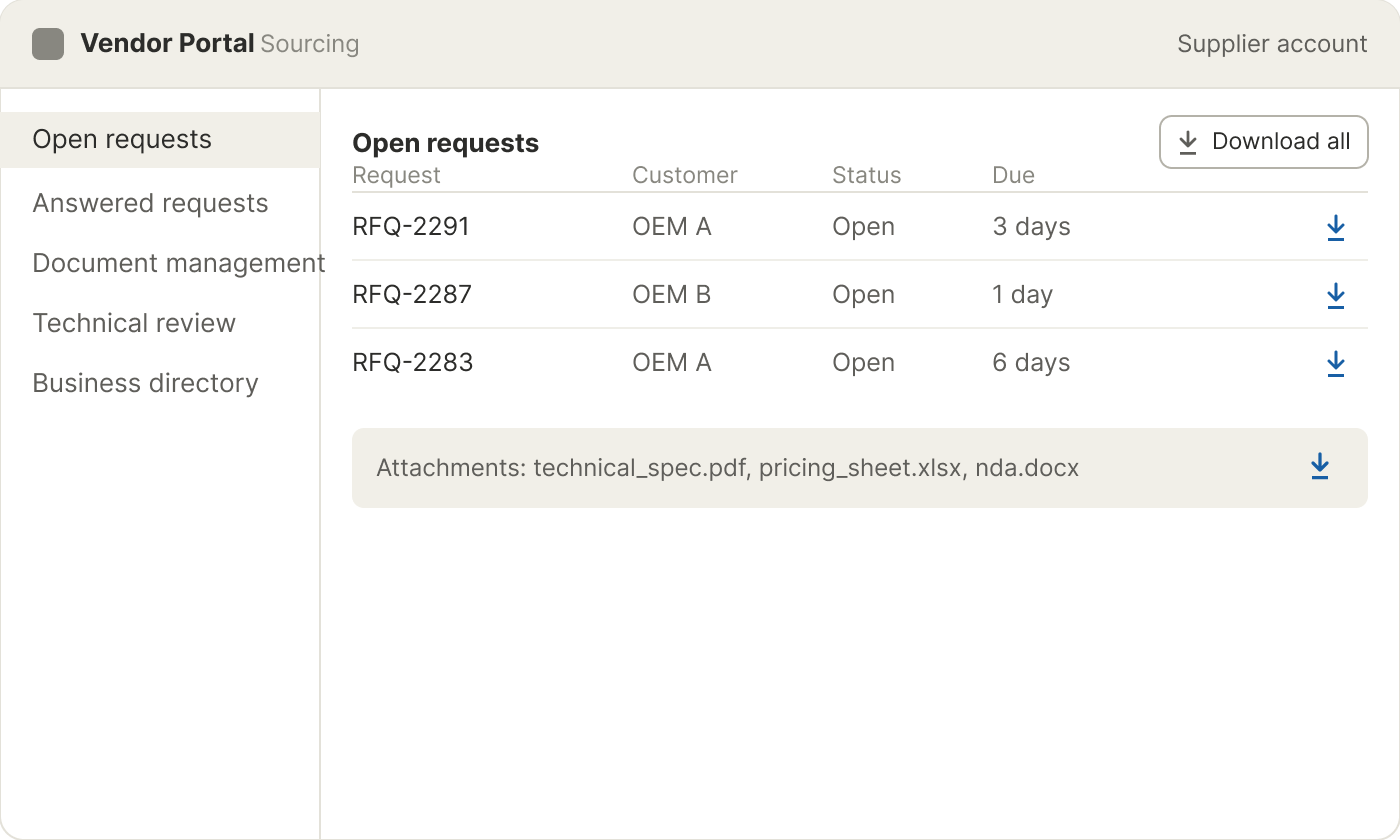
The variation isn't only visual. Portal logins are personalized supplier accounts, not shared credentials, and different customers can share the same underlying portal provider while still presenting different screens, navigation, and terminology. A robust workflow needs to manage not only changing screens, but also which user can reach which customer portal and which actions are permitted once they're in.
This is also not a single-system problem. An email-triggered workflow, where an incoming request notification kicks off the process, is a common entry point in this kind of workflow. The work itself happens in a browser-based portal that isn't yours to control, without API access, often behind two-factor authentication on top of the login itself. The downloaded information still has to be routed into internal systems. Multiple surfaces, multiple failure points, and a human somewhere in the middle stitching it together by hand.
Getting a document-analysis tool to read a bundle like that is one problem. Getting into an API-less portal to retrieve it in the first place, past authentication, past a layout that varies by customer, is a separate and harder one.
What a computer use agent changes
A computer use agent approaches this differently: instead of relying on fixed selectors, it looks at the screen and reasons about what it's seeing, the same way a person scanning a new portal for the first time would. The more important design choice, though, is where it stops, not just how it navigates.
The first automation target is the work that happens before a quote goes out: finding the request, retrieving the relevant documents, extracting the data, and preparing the submission itself, right up to the point someone clicks send.
From that point the flow looks roughly like this:
- Receive and review the request. An RFQ notification arrives by email, a common entry point in this kind of workflow.
- Log in and download. The agent navigates the portal visually, using authorized, personalized supplier credentials, works within a login flow that includes two-factor authentication, and downloads the file bundle. Portal layouts and terminology vary, so finding the right request is judgment, not a fixed path.
- Flag changes vs. prior version. Documents get compared against what's been seen before to catch what's different.
- Save to the internal document system. Extracted files and data land in an internal record.
- Route documents. The request gets directed to the right internal owner.
- Human reviews. The next step after routing.
That last step is the part most automation pitches skip over.
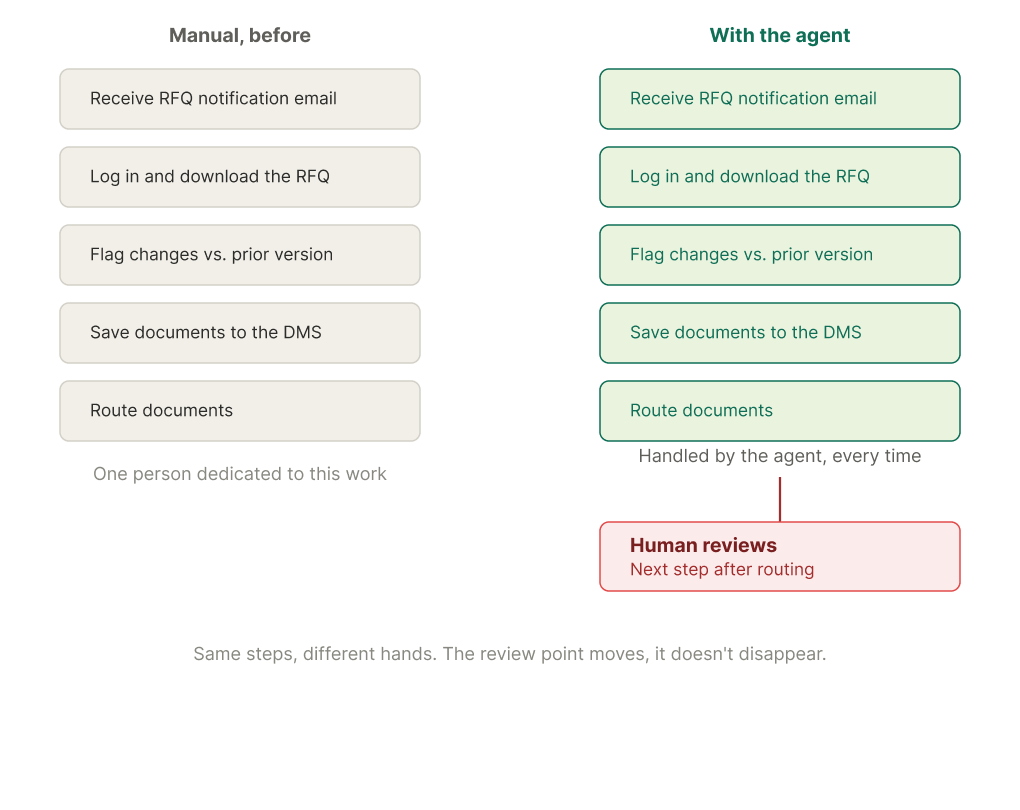
The line isn't automated versus manual. It's reversible versus irreversible.
Not every action in this workflow carries the same risk. Extracting information from an incoming document, or staging it in an internal system, is work that tolerates iterative learning: an incorrect entry can be checked and a prompt corrected. Sending information back to a customer through a portal doesn't get that same room for trial and error. It has to be correct from the first step on.
The real distinction is between reversible internal work and irreversible external commitments. An agent can retrieve documents, extract data, and prepare an internal record. But when the next click sends commercially binding information back to a customer, the workflow should pause for a person to verify it.
A well-designed workflow separates those actions deliberately. Retrieval, classification, and preparation are the first parts to be automated, while a named person reviews and approves anything that creates a customer commitment. High-risk actions, specific portal URLs, submission steps, signatures, can be designed as explicit approval gates or restricted from unattended execution entirely, rather than left to a general "review if something looks off" policy.
This isn't just a limitation put in place to make the automation look safer. For now, it's where trust and accountability sit: if an agent gets something wrong and no one catches it before it reaches a customer, the cost of that mistake can be real. Keeping a person at that one checkpoint doesn't remove them from the rest of the process, it means the repetitive, error-prone parts get automated first, so their judgment goes toward the one decision that actually needs it.
Built to prove itself before it scales
Teams that have tried rule-based automation on the same portals before sometimes describe getting this working as surprisingly fast once it's scoped correctly, closer to a working first pass than the extended rebuild cycles that rule-based scripts usually need. Plenty of AI tools can analyze documents once they've been retrieved. The real difficulty sits earlier: getting past authentication and into a portal that was never built to be automated in the first place.
That's also why this workflow runs as a staged pilot rather than a promise of full autonomy from day one: anything that touches a customer commitment earns trust through validation, not a claim. Portal variation across dozens of customers gets mapped as part of that process. Multi-factor login flows, document-classification accuracy, and exception handling all get validated in the target environment before anything runs at scale. What's automated already covers the retrieval and internal-preparation work, the part that used to take one person's full attention. The rest of the process is next.
The more useful question is what's the first workflow worth piloting, and where the approval boundary goes, not whether the bot breaks.
FAQ
Why do RPA bots keep breaking on vendor portals?
Traditional RPA relies on fixed selectors and screen positions. When a portal changes a field name, moves a button, or redesigns a page, the automation can stop working until someone rebuilds it. On vendor portals this comes up often, since layouts and terminology vary even across customers using the same underlying platform.
What is human-in-the-loop automation?
Human-in-the-loop automation means an agent handles the repetitive work, retrieving documents, extracting data, preparing an internal record, while a person reviews and approves the specific actions that carry real risk, like a commercially binding quote going out to a customer. The automation and the approval are separate steps by design.
Does human-in-the-loop slow the automation down?
Not for the parts that don't need it. Low-risk actions, like updating an internal record, can be candidates for running automatically. Only the actions with real consequences, external submissions, signatures, wait for a person, so the slowdown is isolated to the one decision that actually needs judgment.
How is a computer use agent different from RPA?
Rule-based RPA follows fixed rules tied to exact screen coordinates or element IDs. A computer use agent looks at the screen and reasons about what it's seeing, similar to how a person would navigate an unfamiliar portal. That approach can be more resilient to layout changes than fixed, hard-coded flows, but it still needs validation in each target portal.
What happens when the agent encounters something it can't handle?
Exception handling, false-positive risk, and document-classification accuracy get validated in the target environment before go-live or broader rollout, rather than assumed. That's why this workflow runs as a staged pilot with parallel testing and human approval boundaries, not full autonomy from day one.
Can human-in-the-loop automation support high-risk approval processes?
The design assumes that some actions require human approval regardless of how capable the automation is. High-risk actions, such as commercially binding external submissions, specific portal URLs, or signature steps, can be placed behind explicit approval gates or restricted from unattended execution entirely, rather than left to a general "flag it if something looks off" policy. Whether a workflow is appropriate for a regulated or high-risk process should still be assessed against the organization's own legal, compliance, security, and governance requirements.
How does this connect to our internal CRM or portal systems?
Because the agent interacts with vendor portals visually, it doesn't need API access to the portal, which matters since most customer portals don't expose one. For internal systems, it can either work through the interface the same way or connect directly where integrations exist, so an update doesn't have to route through a screen at all.
How long does it take to get one workflow running?
Setting up automation for a single portal, defining the click path and what state to expect at each step, took roughly ten to twelve minutes in this case, with timelines varying by portal complexity. Getting a full workflow production-ready is a different timeline, since it naturally depends on how many portals are in scope and how much review the first version needs before anything runs with less supervision
Curious what this looks like for your own portal or RFQ workflow?