YouYoung Seo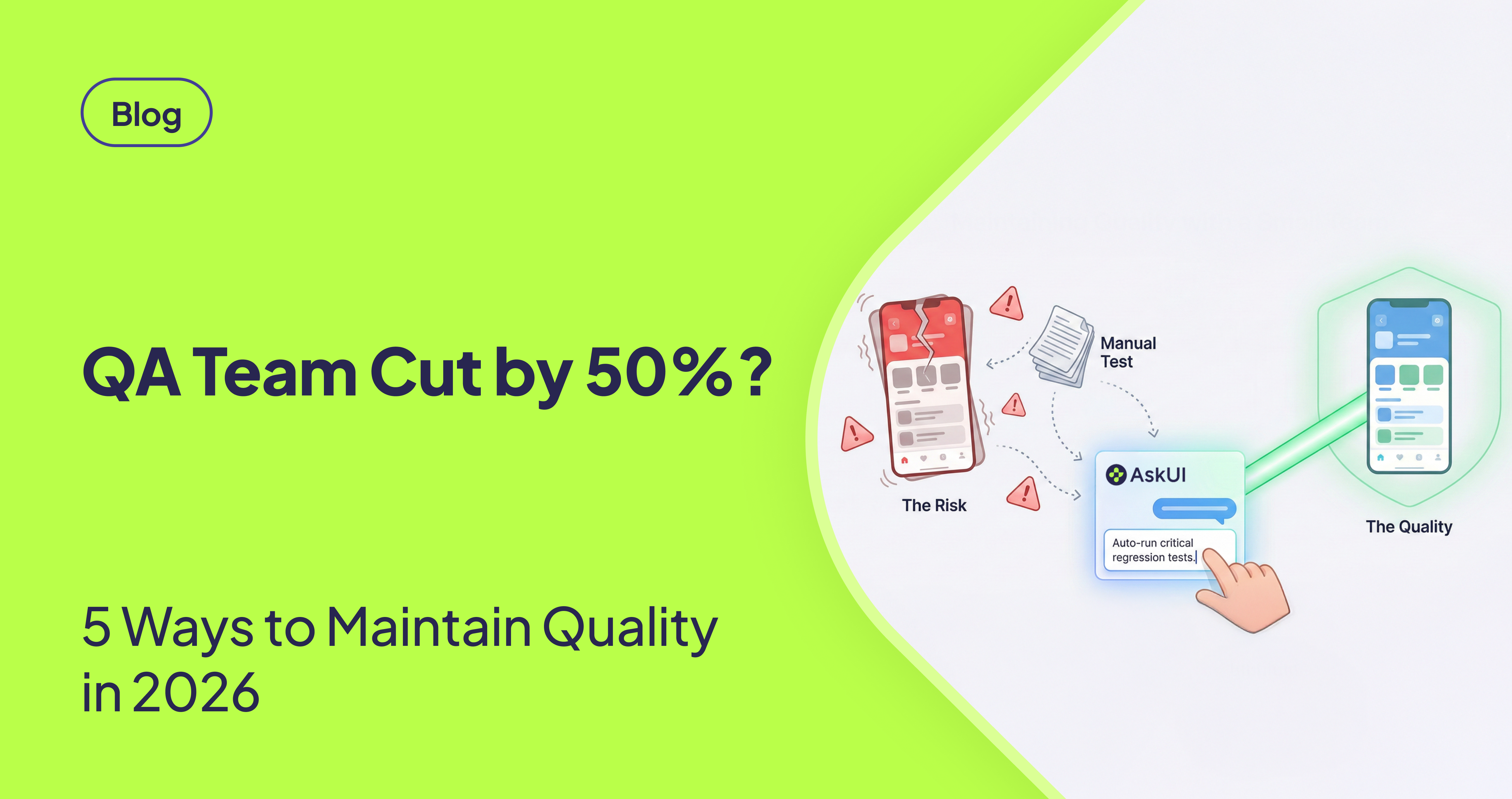
Introduction
Quick Answer (TL;DR)
Question: How do you maintain product quality after a QA team reduction?
Answer: Apply these 5 strategies:
- Prioritize ruthlessly - The testing process should concentrate on the essential 20-30% of operational workflows.
- Automate strategically - The strategic automation process needs to start with basic regression flows to reduce manual work by 50-70%.
- Shift-left testing - Move defect detection earlier so developers own more of the quality pipeline.
- Monitor production - Detect and contain issues in minutes instead of hours.
- Leverage Agentic automation - Adopt agentic automation to handle repetitive and multi-step flows.
Timeline: Most teams see measurable improvements within 8-12 weeks, which teams typically observe in practice. Expected ROI: Industry implementations typically typically observe 60-100%+ ROI** in the first year.
Introduction
QA team reductions are becoming more often through SaaS, fintech, and enterprise engineering organizations. The expectations for release frequency, stability and customer experience rarely decrease, while. headcount goes down. This makes a structural challenge where QA coverage reduces but quality expectations stay the same even increase
Teams that succeed in this situation choose to avoid increasing their work effort. They redesign their quality strategy around priority, targeted automation, shift-left practices and enhanced production monitoring. This guide gives a practical data-informed approach to keep quality within the first 8 to 12 weeks after significant QA reduction.
The Impact of QA Team Reduction
Understanding this decline pattern is crucial before applying any corrective strategies. When QA capacity is cut without adjusting the process, organizations typically experience a predictable decline:
Weeks 1-3: Temporary Stability
- Existing regression suites still cover recent releases
- The QA team performs additional work responsibilities.
- The first indicators of problems remain difficult to detect.
Weeks 4-8: Noticeable Quality Decline
- The time required for regression testing becomes substantially longer.
- The number of production issues increases.
- The time developers need to fix bugs in production increases by 15% to 25%.
- The release schedule becomes slower.
Weeks 8+: Structural Problems
- The testing scope reduces while the number of emergency calls grows, customer problems pile up and team member satisfaction decreases.
Teams need to make immediate changes to their testing approach following capacity reductions to prevent this decline pattern.
1. Reprioritize the Test Scope
Trying to maintain the same number of manual tests with fewer QA engineers leads to burnout and quality gaps. High-performing teams reduce their test surface area by focusing on the highest-impact scenarios.
High-Priority Scenarios
- Login, authentication, and authorization
- Payment, billing, and financial logic
- Core user workflows tied directly to revenue or compliance
- CRUD operations on critical data
- High-dependency APIs used internally or externally
Medium-Priority Scenarios
- UI-level checks on low-traffic pages
- Settings, preferences, and secondary workflows
- Fast-changing UI elements that break frequently
Safe-to-Defer Scenarios
- Feature-flagged experiments
- Internal tools used by < 1% of staff
- Dismissed or scheduled for deprecation functionality
This framework helps teams reduce their manual test suite by 40–50% typically which allows QA personnel to focus on protecting vital business operations.
Once the test surface is reduced to the essentials, the next question becomes: which of these tests should be automated?
2. Automate the Highest-Value Tests First
After QA reductions, the goal of automation is not full coverage. It is high ROI. Effective teams automate in a specific order.
High-ROI Automation Targets
1. Critical Regression Flows
Automating 20-30 core regression tests often reduces manual regression time by 50-70%.
2. Long, Multi-Step Workflows
Scenarios involving multiple pages, repeated data entry, or cross-role transitions.
3. Cross-Browser / Cross-Environment Tests
Automation eliminates repetitive human checks.
4. Visual-Only or Legacy Systems
SAP GUI, desktop apps, Citrix, and any system without DOM access benefit from vision-based automation.
Avoid Automating
- Monthly or quarterly processes
- Rapidly changing UI prototypes
- UX judgment scenarios requiring human evaluation
Focusing automation on regression and long workflows provides meaningful impact in the first 6-8 weeks.
Automation alone is not enough to offset reduced QA capacity, which is why teams also shift defect detection earlier in the lifecycle.
3. Shift Defects Left
With fewer QA engineers, reducing the number of defects that reach QA becomes essential.
Proven Shift-Left Practices
- Mandatory pre-merge checks: unit tests, linters, formatting, vulnerability scans
- Service-level integration tests maintained by developers
- Pre-commit pipelines blocking merges on failures
- Production-like staging environment with realistic data and configuration
- Feature flag rollouts to isolate risk during deployments
Teams that adopt these strategies reduce QA-caught defects by 30-40% within 6-10 weeks.
4. Strengthen Production Monitoring
With fewer QA resources, issues will occasionally reach production. The stability of the system depends on how quickly they are detected.
Core Components of Monitoring
- Application Performance Monitoring (APM): latency, error rates, traces
- Log Aggregation: centralized logs with searchable context
- Real User Monitoring (RUM): client-side errors and performance
- Synthetic Monitoring: automated checks of critical workflows every 5-15 minutes
Impact
Organizations with strong monitoring reduce detection time from hours to minutes, significantly minimizing user impact even when defects escape earlier stages.
These practices come together in a structured rollout, which many teams follow over a 90-day period.
5. The 90-Day Stabilization Framework
Teams that recover quickly from QA reductions follow a similar sequence.
Weeks 0-4: Stabilize
- Reduce test surface by 40%-50%
- Establish core monitoring tools
- Update Definition of Done to include mandatory tests
- Train developers on testing expectations
Weeks 4-8: Automate
- Automate 20-30 top regression scenarios
- Connect tests to CI/CD pipelines
- Start retiring redundant manual test cases
Weeks 8-12: Optimize
- Fine-tune alert thresholds
- Remove flaky tests
- Strengthen feature flag usage
- Shift QA focus to exploratory testing and critical paths
Most organizations restore stable release cycles by week 12.
Why QA Teams Are Getting Cut
Engineering leaders consistently cite several structural and economic drivers behind QA reductions:
| Driver | Impact |
|---|---|
| Cost pressure | Organizations reduce QA headcount to improve margins |
| Automation expectations | Leadership assumes automated testing can replace manual QA immediately |
| Legacy system complexity | Hard-to-cover systems push teams to reorganize QA rather than invest |
| Faster release cycles | Fewer QA resources expected to support more frequent releases |
These shifts generate a gap between expected and realistic quality coverage, a gap that must be filled with smarter priority and process changes.
The 6-8 Week Decline Curve Without Process Changes
If teams reduce QA but continue working the same way, outcomes typically follow this pattern:
| Timeframe | Observed Pattern |
|---|---|
| Weeks 1-2 | Minimal visible impact and existing tests still cover recent changes |
| Weeks 3-5 | Regression cycles expand and flakiness rises and the QA backlog grows |
| Weeks 6-8 | Production bugs increase and developers spend more time fixing issues |
| Week 8+ | Release frequency slows and engineering morale declines |
This repeatable pattern highlights why immediate structural adjustments are essential.
Risk-Based Test Prioritization Matrix
A simple but effective prioritization model used by engineering teams after a QA reduction:
| High Impact | Low Impact | |
|---|---|---|
| High Frequency | Automate immediately | Light smoke testing |
| Low Frequency | Manual inspection before major releases | Skip or defer |
Example classification:
- Login, checkout, account creation- High impact + High frequency = Automate
- Admin tools, rarely used UI pages- Low frequency - Sample test
- Deprecated or < 1% usage features- Skip
Automation Priority Guidelines
Teams often struggle with what to automate first. The most successful implementations use this model:
| Priority | Category | Reason |
|---|---|---|
| 1 | Core regression flows | Run every sprint; break often; high cost of failure |
| 2 | Long multi-step flows | Manual repetition is costly and error-prone |
| 3 | Cross-browser tests | Cannot be reliably done manually |
| 4 | Legacy/visual-only systems | DOM tools fail and vision-based automation is required |
This approach helps teams achieve meaningful ROI within the first 6-8 weeks.
Conclusion
Financial clarity implementation allows organizations to create particular steps which they can include in their quality strategy. Most teams initiate by understanding the financial impact, before expanding automation or rebuilding QA workflows.
Quality after a QA reduction depends on structural changes, not individual effort. Teams that succeed:
- Prioritize high-value test scenarios
- Automate strategically
- Shift validation earlier into development
- Build strong monitoring capabilities
Engineering organizations maintain reliability and release consistency even with decreased QA capacity, by using the quality strategy with these principles.